Reports
Tanqory ships 210+ canned reports across categories: Sales, Customers, Marketing, Behavior, Finance, Inventory. Use the catalog to find what you need.
On this page
The Reports catalog is Tanqory's library of 210+ pre-built analytics reports across every business area. Use it as the starting point for any analytics question: chances are a canned report already covers it. For ad-hoc / custom analysis, see New Exploration.
You'll work at /admin/store/{storeId}/analytics/reports.
Report categories
Tanqory groups reports into categories. Real DOM-verified counts at time of writing:
| Category | Count | Examples |
|---|---|---|
| Sales | 36 | Total Sales / Sales by Channel / Sales by Product |
| Customers | 18 | Returning Customer Rate / Customer Cohort / Customer LTV |
| Behavior | varies | Bounce Rate / Search Conversions / Sessions by Source |
| Marketing | varies | Marketing Attribution / Discounts Performance |
| Finance | varies | Tax Report / Sales Summary / Refunds |
| Inventory | varies | Inventory Forecast / Stock Out Analysis |
| Custom | yours | Reports you've saved |
Before you begin
- You are signed in to your Tanqory store admin.
- You have View analytics permission.
Steps
1. Open Analytics > Reports
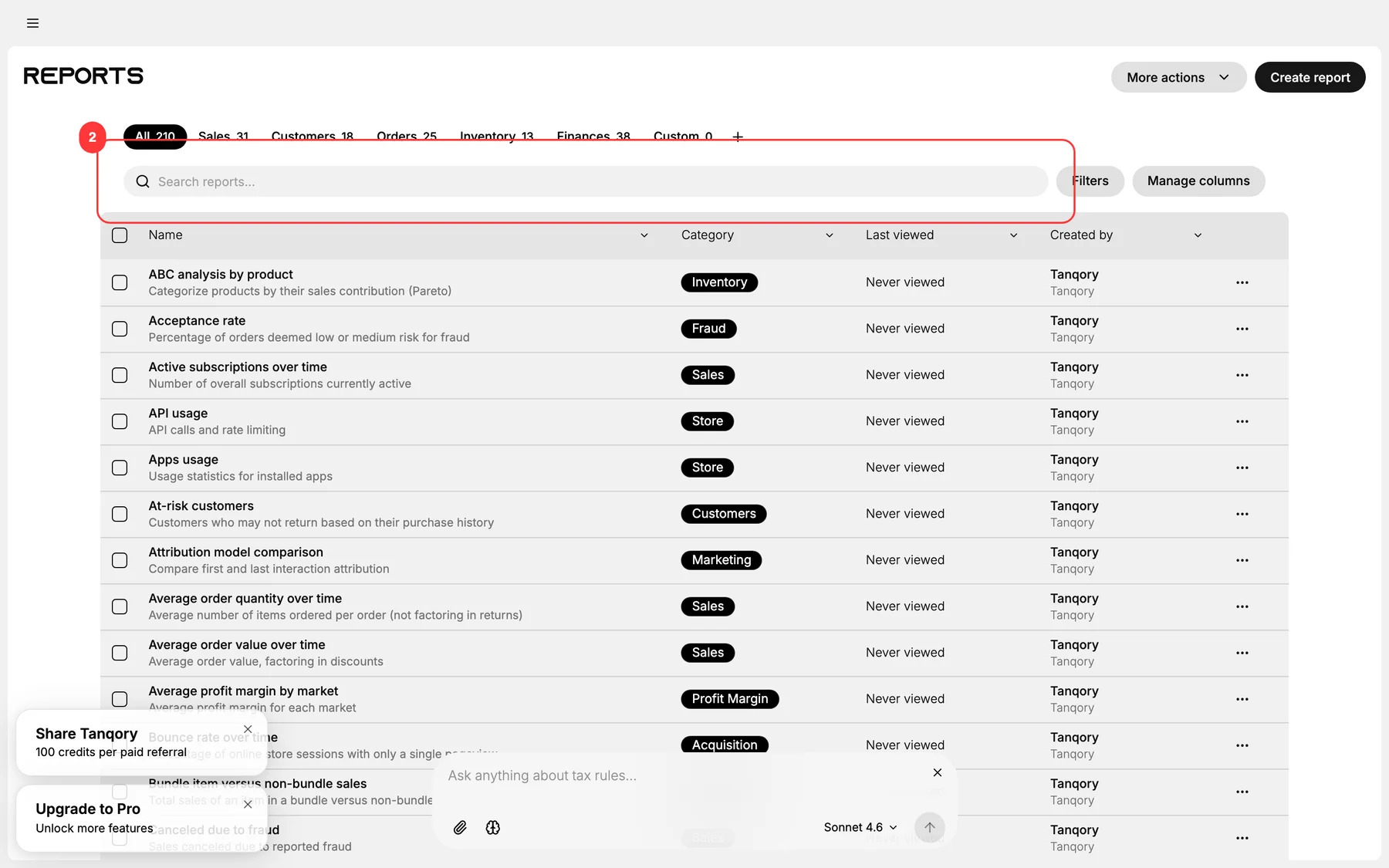
The Reports catalog renders with a search input + category tabs.

2. Filter by category tab
Click a category (Sales / Customers / etc.) to narrow the list.
3. Search for a specific report
Use the search input above the catalog. Type a metric name or keyword.
4. Open the report
Click any row. Tanqory loads the report for the active date range + filter set.
5. Adjust the report's filters
Most reports expose dimension-specific filters (segment, channel, date range, etc.). Iterate until the data answers your question.
6. (Optional) Save as Custom report
If you'll revisit this configuration: save it under Custom. Custom reports remember the report + date range + filters.
7. Discover related reports
Each report page typically links to related reports. Use these to triangulate.
Verify the result
- The catalog renders all categories.
- Search narrows correctly.
- Reports open + render.
- Custom saves persist.
Best practices
- Search before browsing. Faster.
- Start with the canned report: it's tuned for performance + correct math.
- Build a weekly review: save 5-10 essential custom reports for recurring open.
- Pin reports that matter to your role.
- Compare across time: date-range comparison is a click.
Common mistakes
- Building Exploration for questions canned reports answer: slower.
- Not saving recurring views: re-configure every time.
- Reading reports without comparison period: absolutes without context.
- Trusting the report without understanding methodology: always read the description.
If something goes wrong
- Report doesn't load: check date range; verify your role permits the report.
- Report numbers don't match expectation: verify date range + active filters.
- Search doesn't find the report: try keyword variations; or browse the category.
- Custom save fails: your role may lack Manage analytics.
Next steps
Related articles
Still stuck?
- Ask Tanqory AIAsk in your own words. It answers from these articles and links the ones it used.
- Ask in your adminThe assistant in your Tanqory admin answers and makes the change for you once you confirm.
- Contact TanqoryWrite to our privacy, security or legal teams, or talk to sales about a plan or a move.