Duplicate and Adapt a Segment
Duplicate copies a segment you already have, and it saves the copy immediately rather than handing you a draft. This article covers the dialog, what comes across with the copy, and the order the work has to happen in.
On this page
Duplicate copies a segment you already have, so you do not rebuild conditions you have already got right. One thing about it is worth knowing before you press it: the copy is created and saved immediately. There is no draft stage.
So the order is copy, then adapt.
Why duplicate rather than build again
The questions a store asks are usually versions of each other: your best customers, your best customers in one country, your best customers who have gone quiet. Built separately they drift apart, and changing your mind about what "best" means then takes three edits.
| When | What copying gives you |
|---|---|
| A variant of a segment you trust | Conditions you have already checked, so only the new one can be wrong |
| Several segments share a base | The shared thinking in one place instead of five |
| Changing a segment others use | A copy to work on while the original keeps running |
| Experimenting | Somewhere to be wrong. Change it, read the count, delete it if the idea fails |
It is not the way to rename. Duplicating leaves you with two segments; Rename in More actions changes the one you have.
Before you begin
- You have the Manage customer segments permission, since duplicating writes a new segment.
- You know what the copy should be called, because the dialog asks before it copies.
- Open Customers > Segments and open the segment you want to copy.
What Duplicate does
Duplicate is at the top of an open segment, first of three buttons with More actions and Use segment after it. It is greyed out until the segment has been saved, because an unsaved segment has nothing to copy yet.
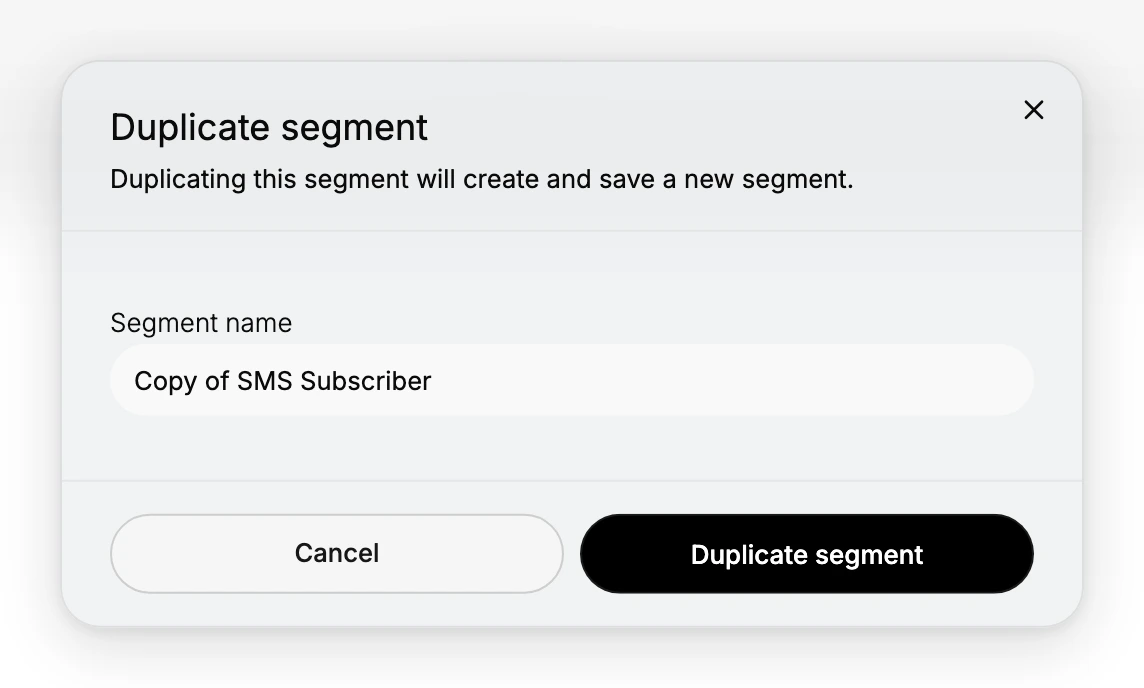
Selecting it opens this dialog. Its own wording, "Duplicating this segment will create and save a new segment", is telling you there is no draft. Segment name arrives filled in as Copy of the original and selected, so typing replaces it.
The name is all the dialog asks for. Everything else comes across on its own:
| What the copy gets | |
|---|---|
| The query | Copied exactly, line for line, and never shown to you in the dialog |
| The description | Copied too. Easy to miss, and it will describe the original until you change it |
| Created by | Becomes you, not whoever built the original |
Steps
1. Open the segment to copy
From Customers > Segments, select its name. Read the query while you are here: it is what gets copied, and the dialog will not show it to you. The count above it is where your copy starts.
2. Select Duplicate
Duplicate opens the dialog and copies nothing on its own, so you can still change your mind. If it is greyed out, save the segment first.
3. Name the copy
Replace Copy of... with what the new segment is for. Do it now rather than later; Cancel is the last point at which nothing has been written.
4. Confirm
Select Duplicate segment. The copy is created, saved and opened, so you land on the copy rather than the original, and it is on the Segments list from that moment.
5. Adapt it
Edit the WHERE line for the audience you want, select Apply, and read the count and preview to see who moved. Discard and Save appear as they do on any segment.
Change the description as well. It came from the original and now describes the wrong group.
Verify the result
- Both segments are on the list, with different names.
- The copy's count reflects your change rather than matching the original.
- The copy's description says what the copy is.
- The original is untouched.
Best practices
- Change one condition at a time, pressing Apply after each, so you can see which one moved the count.
- Keep the shared conditions on the original. When the thinking changes, it changes in one place.
- Delete copies that did not work out. An abandoned experiment is a segment someone will use by mistake.
Common mistakes
- Expecting a draft. The copy is saved on confirmation, so an unwanted one has to be deleted.
- Leaving the copy identical. Two segments asking the same question are worse than one.
- Renaming but not re-describing. A copy can end up correctly named and wrongly explained.
- Duplicating to rename. Use Rename.
If something goes wrong
- Duplicate is greyed out. The segment has not been saved yet.
- You duplicated by mistake. Delete the copy from its row menu. It asks you to confirm, and says plainly that no customer profiles are deleted, only the segment.
- The copy matches nobody. Read its WHERE line. A condition that worked on the original can be impossible once narrowed.
Next steps
Related articles
Still stuck?
- Ask Tanqory AIAsk in your own words. It answers from these articles and links the ones it used.
- Ask in your adminThe assistant in your Tanqory admin answers and makes the change for you once you confirm.
- Contact TanqoryWrite to our privacy, security or legal teams, or talk to sales about a plan or a move.