Sitemaps and Search Engine Discovery
Search engines find your store by crawling it and following the links between its pages. There is no sitemap setting in the Tanqory admin at all, so there is nothing for you to build, upload or submit, which catches out anyone arriving from a platform where that is a job of its own. This covers what the platform handles without you, what is genuinely left in your hands, and the four things that make a page easier for a crawler to reach.
On this page
A sitemap is a list of a website's pages that helps search engines find them. Many store owners ask where to manage their sitemap, so this article explains how search engines discover your store in Tanqory and what you can do to help. In short, there is no sitemap for you to create or manage in your admin, and search engines find your pages by crawling your store instead. What you can do is make each page easy to understand and easy to reach.
How search engines find your store
Search engines discover a store by crawling it: they visit a page, read its links, and follow them to other pages. For this to work, search engines need to be allowed to visit your store, and your pages need to link to each other so a crawler can move between them. Your store allows general search engines to crawl it, so the main thing on your side is to keep your pages clear and well linked.
The permission itself is published at your storefront's robots.txt, which you do not edit in the admin. It allows every crawler by default and then names a list of AI training crawlers it turns away, among them GPTBot, ClaudeBot, CCBot, Google-Extended, Applebot-Extended, Bytespider and Amazonbot. So search engines that send you customers are welcomed, while crawlers that collect text to train models are not. Nothing about that is a setting you manage, but it is worth knowing if you ever wonder why your pages appear in search results and not elsewhere.
What you manage, and what you do not
There is no sitemap setting in your Tanqory admin, so a sitemap is not something you build or upload. Instead, the parts you control are the search settings on each item, which is where you make your pages easy to understand.
| You do not manage | You do manage |
|---|---|
| A sitemap file to create or upload | The Meta title and Meta description on each item |
| A submission step for a sitemap | The URL handle for each item, kept short and stable |
| Crawler access, which is already allowed for general search engines | How your pages link to each other |
What you can do to help discovery
The parts you control are the search settings on each item. Each product, collection, and page has a URL handle and, under SEO settings, a Meta title and a Meta description, the fields that tell search engines what the page is.
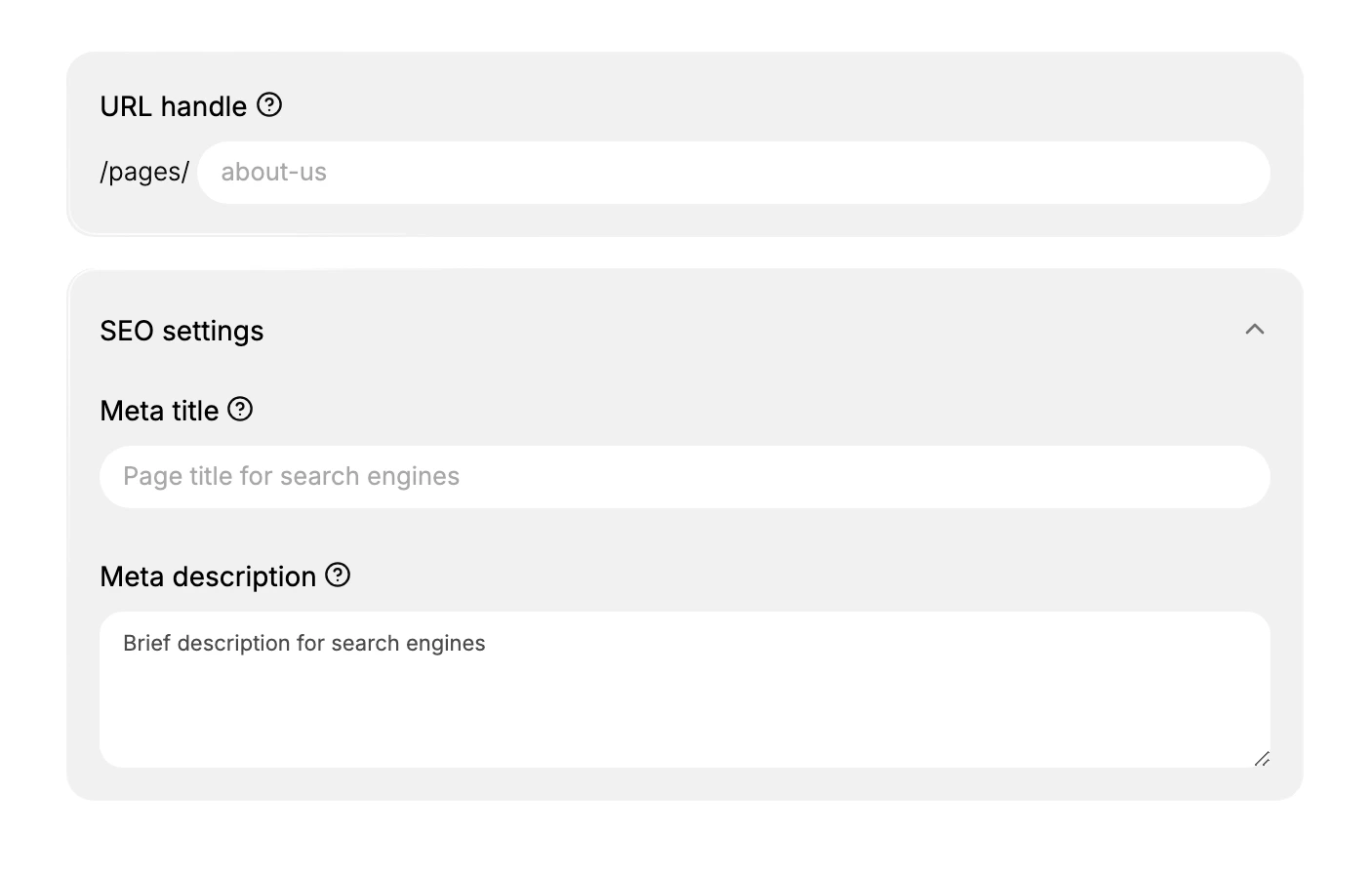
Four things are in your hands, and they are not a sequence. Any of them helps on its own, and a page that is missing all four is the one a crawler struggles with.
- Set the search settings on your items. Give each product, collection, and page a clear Meta title and Meta description so search engines and customers can tell what the page is. This is done in each item's search settings, covered in Product SEO Fields, Collection SEO Settings, and Page SEO Settings.
- Keep your URL handles short and stable. A short, stable URL handle gives each page a clean, lasting address that search engines can keep. Avoid changing handles once a page is published and shared. URL Handles takes this further.
- Link your pages to each other. Because search engines follow links to move through your store, link related products, collections, and pages to each other. Pages that nothing links to are harder for a crawler to reach.
- Publish your pages. A page has to be published to be visible to customers and to search engines, so make sure the items you want found are published rather than left hidden.
None of the four is a one-off. Products, collections and pages keep being added, and each new one arrives with empty search settings and nothing linking to it until somebody sees to it. That ongoing work is what stands in for the sitemap you are not managing.
Best practices
- Fill in the search settings on every key item, so search engines can tell what each page is.
- Keep URL handles stable, so the address a search engine has for a page keeps working.
- Link related items together, so a crawler can move from one page to the next.
- Publish the pages you want found, since hidden pages are not discoverable.
Common mistakes
- Expecting a sitemap to manage, when discovery in Tanqory comes from crawling rather than a sitemap you build.
- Leaving search settings blank, which makes pages harder to tell apart in search.
- Orphan pages that nothing links to, which are harder for a crawler to reach.
- Changing URL handles after publishing, which can break links that already point at a page.
Next steps
Related articles
Still stuck?
- Ask Tanqory AIAsk in your own words. It answers from these articles and links the ones it used.
- Ask in your adminThe assistant in your Tanqory admin answers and makes the change for you once you confirm.
- Contact TanqoryWrite to our privacy, security or legal teams, or talk to sales about a plan or a move.