Tax Regions
Tax regions are jurisdictions where you have collection obligation. Manage rates per region, comply with local rules, file accurately.
On this page
A Tax Region is a jurisdiction where you have tax-collection obligation (sometimes called "nexus"). Establishing nexus may be triggered by physical presence, economic thresholds, or marketplace facilitator status. Consult a tax professional: region rules change.
Before you begin
- Go to Settings, then open Taxes.
- You have Taxes settings permission.
- You have professional tax advice for which regions apply.
- You have tax registration numbers in hand.
How nexus is triggered (generic)
| Trigger | Typical |
|---|---|
| Physical presence | Office, warehouse, employee |
| Economic threshold | Revenue or order count in a region |
| Marketplace facilitator | Selling via a marketplace that collects for you |
| Affiliate / click-through | Some US states |
| Inventory in fulfillment center | E.g., FBA |
Per-region setup
| Field | Detail |
|---|---|
| Region | Country / state / province |
| Tax registration number | E.g., VAT number, EIN, sales-tax ID |
| Rate | Local rate (or automatic via service) |
| Override rates | Per-product or per-category overrides |
| Effective dates | When obligation started |
Steps
1. Open Settings > Taxes
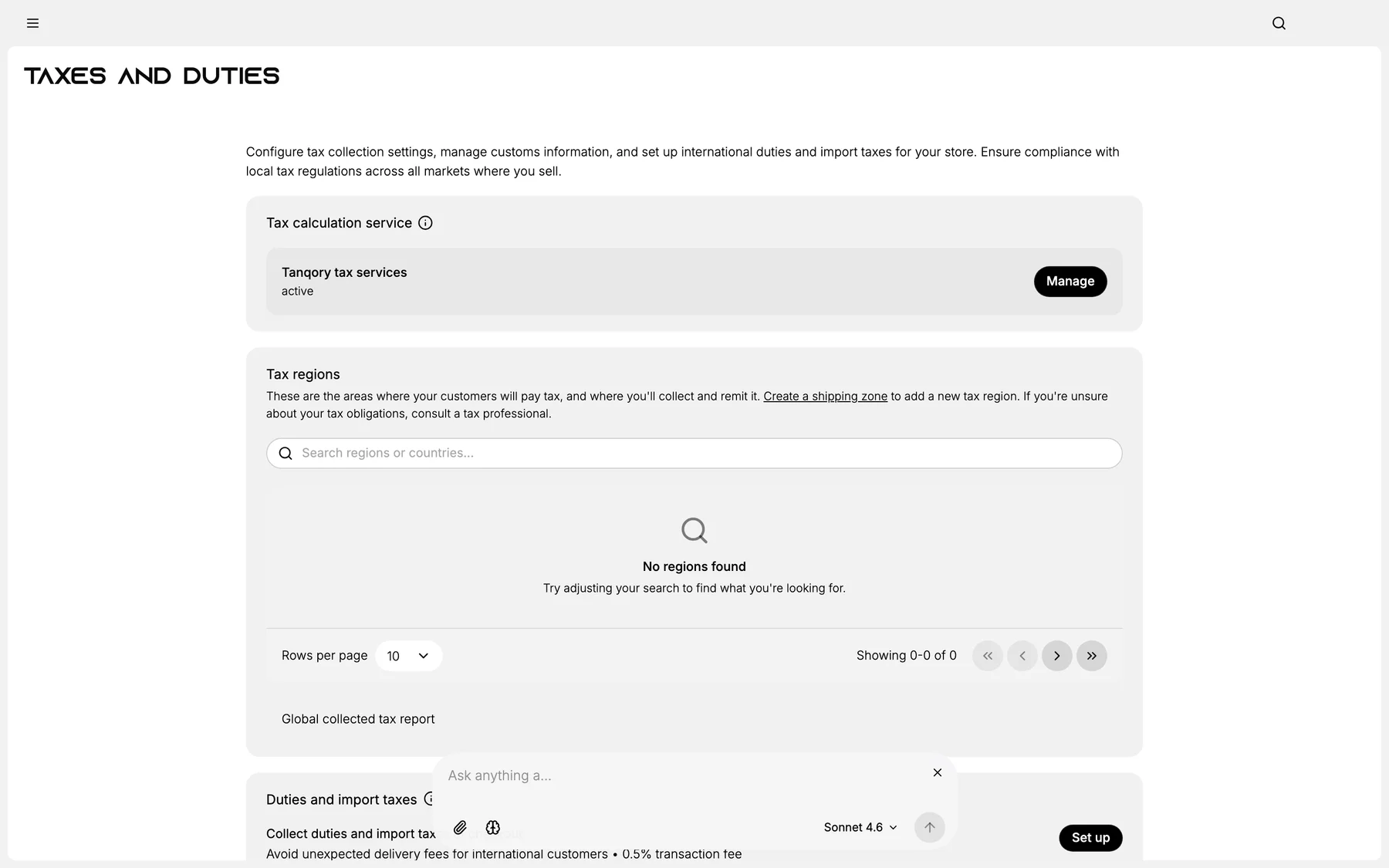
2. Click Add region
3. Pick country / state
4. Enter tax registration number
5. Set rate or enable auto-calculation
6. Save
7. Repeat per region of obligation
Verify the result
- Region listed.
- Tax applied at checkout for in-region addresses.
- Registration number on invoices.
Best practices
- Tax professional consultation is non-negotiable.
- Monitor nexus thresholds quarterly.
- Keep registration documents organized.
- Filing calendar per region.
Common mistakes
- Guess nexus: wrong = under-collection liability.
- Stale rates: fail audits.
- Missing registration: illegal collection.
If something goes wrong
- Wrong tax at checkout: verify rate + region match.
- Permission denied: your role lacks Taxes settings.
Next steps
Related articles
Still stuck?
- Ask Tanqory AIAsk in your own words. It answers from these articles and links the ones it used.
- Ask in your adminThe assistant in your Tanqory admin answers and makes the change for you once you confirm.
- Contact TanqoryWrite to our privacy, security or legal teams, or talk to sales about a plan or a move.