Pick Your Tax Service
Choose manual rates, basic auto-calculation, or full third-party tax service. Each has trade-offs around accuracy, cost, complexity.
On this page
Pick how Tanqory calculates tax. Three tiers, each with trade-offs.
Before you begin
- Go to Settings, then open Taxes.
- You have Taxes settings permission.
- You've decided on tier with your tax professional.
The three tiers
| Tier | Accuracy | Cost | Complexity | Best for |
|---|---|---|---|---|
| Manual rates | Low | Free | Low | Single jurisdiction, low risk |
| Basic auto | Medium | Included | Low | 1-2 jurisdictions |
| Third-party service (Avalara / TaxJar / etc.) | High | Subscription | High | Multi-jurisdiction US sales, EU VAT, audit risk |
When to upgrade
| Trigger | Upgrade to |
|---|---|
| Sell to >1 US state | Third-party |
| EU VAT-IOSS | Third-party |
| Many product categories with different rates | Third-party |
| Audit history | Third-party |
| Cross-border high volume | Third-party |
Steps
1. Open Settings > Taxes
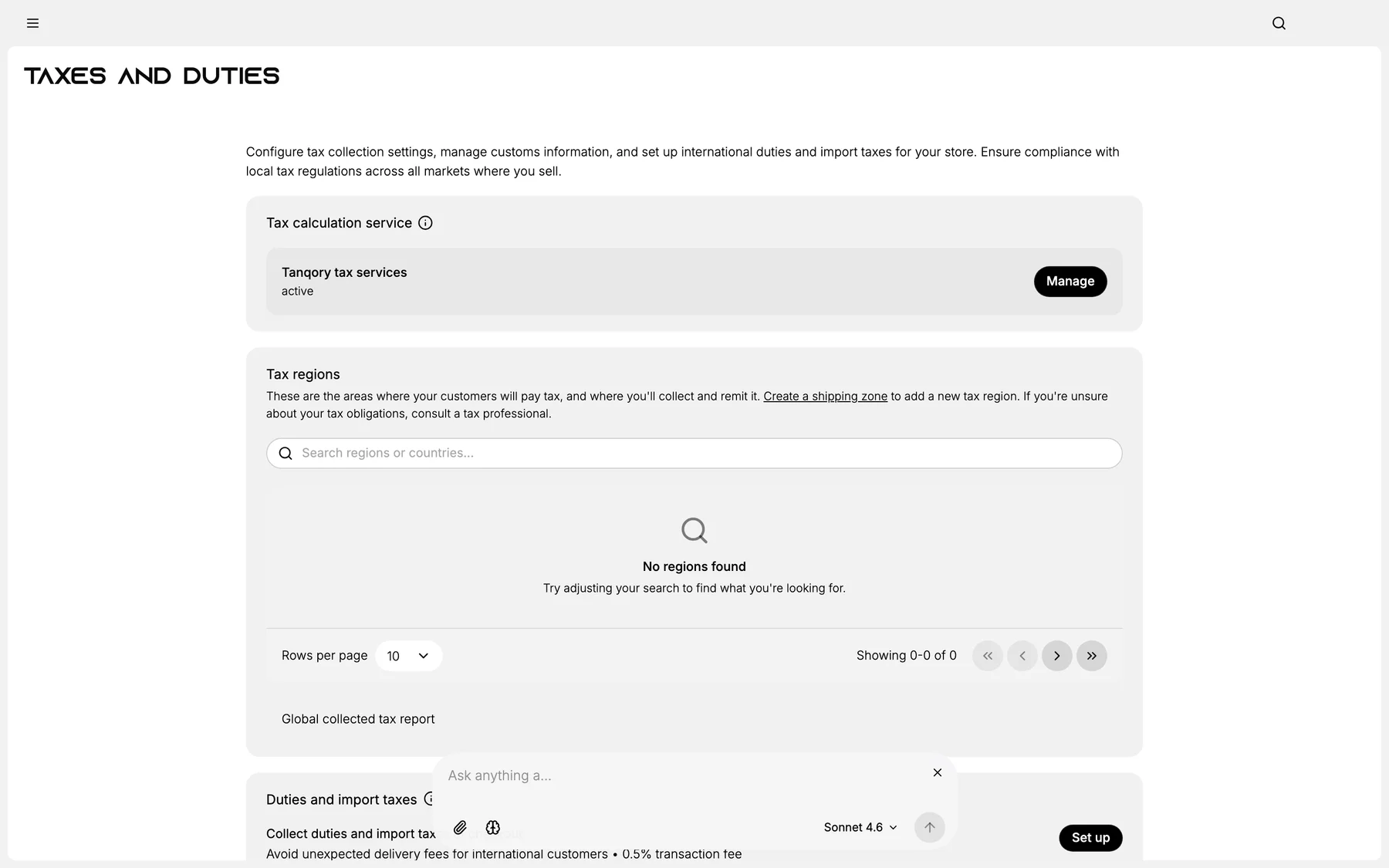
2. Pick service tier
3. (If 3rd-party) Connect via API
4. Verify test transaction
5. Save
Best practices
- Match tier to risk + volume.
- Don't under-invest in compliance.
- Annual review of tier choice.
Common mistakes
- Manual rates with multi-state: guaranteed error.
- Over-paying for service you don't need.
Next steps
Related articles
Still stuck?
- Ask Tanqory AIAsk in your own words. It answers from these articles and links the ones it used.
- Ask in your adminThe assistant in your Tanqory admin answers and makes the change for you once you confirm.
- Contact TanqoryWrite to our privacy, security or legal teams, or talk to sales about a plan or a move.