Tax Regions (Detail Conceptual)
Conceptual detail of tax regions: how Tanqory groups jurisdictions, rate management, threshold rules.
On this page
Tax regions group jurisdictions with shared rules. This article is the conceptual detail: for per-region setup, see Tax Region Detail Setup and Tax Regions.
Before you begin
- Go to Settings, then open Taxes.
- You have Taxes settings permission.
- You have professional advice for each region's nexus.
Grouping logic
| Group | Members |
|---|---|
| Country (single rate) | E.g., AU (single GST) |
| Country with state-level (US) | Each state separate |
| EU (VAT-OSS / IOSS) | All EU as one or per-country |
| UK | Separate post-Brexit |
| Specific city/region overrides | E.g., New York City |
Threshold rules per region
| Region | Trigger |
|---|---|
| EU | €10K cross-border for VAT-OSS |
| UK | £85K for VAT registration (domestic) |
| US states | Varies; many around $100K or 200 transactions |
| AU | A$75K for GST |
(Verify current rules with tax professional.)
Steps
1. Open Settings > Taxes
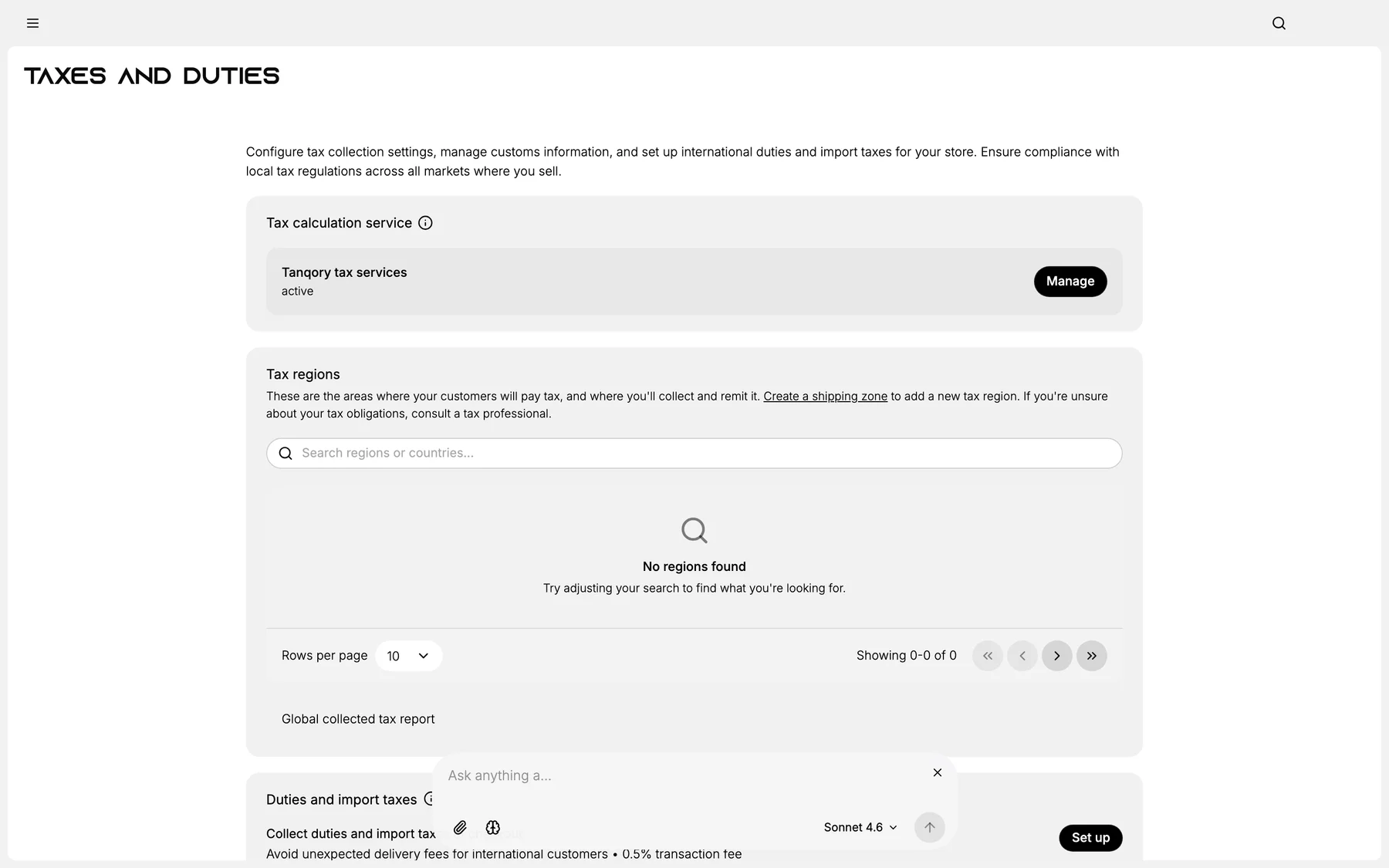
2. Review existing regions
3. Add new regions as nexus is established
4. Configure per Tax Region Detail Setup
Best practices
- Monitor nexus thresholds.
- Add region before threshold hit.
Common mistakes
- Lag on nexus → under-collection liability.
Next steps
Related articles
Still stuck?
- Ask Tanqory AIAsk in your own words. It answers from these articles and links the ones it used.
- Ask in your adminThe assistant in your Tanqory admin answers and makes the change for you once you confirm.
- Contact TanqoryWrite to our privacy, security or legal teams, or talk to sales about a plan or a move.