Publish a Privacy Policy
A privacy policy tells customers what personal data your store collects, how you use it, and how you protect it. It is one of the policies linked from the footer of checkout, which means it is read at the moment someone is deciding whether to trust you with an order. This covers what such a policy usually contains, how to write and publish yours, and what changes for your store when you set it against leaving it unset.
On this page
A privacy policy is where you tell customers what personal data your store collects, how you use it, and how you protect it. Tanqory describes it as essential for building trust and for complying with privacy regulations such as GDPR and CCPA, and it is one of the store policies linked from the footer of checkout. Writing it is what lets a customer see how their information is handled before they hand it over, rather than having to guess. This article covers what a privacy policy should include and how to publish it; the editing tools themselves are covered in Use the Policy Editor.
What a privacy policy usually covers
Your policy should reflect what your store actually does, but most privacy policies speak to the same points.
- What data you collect, such as names, addresses, contact details, and payment information.
- How you use that data, for example to process orders, send updates, or improve your store.
- Who you share it with, such as payment or shipping providers, and why.
- How customers can ask about, change, or delete their data.
- How you keep the data secure and how long you keep it.
Before you begin
- You know what customer data your store and its connected services collect.
- Where the policy is legally binding, you have it reviewed by someone qualified for your region.
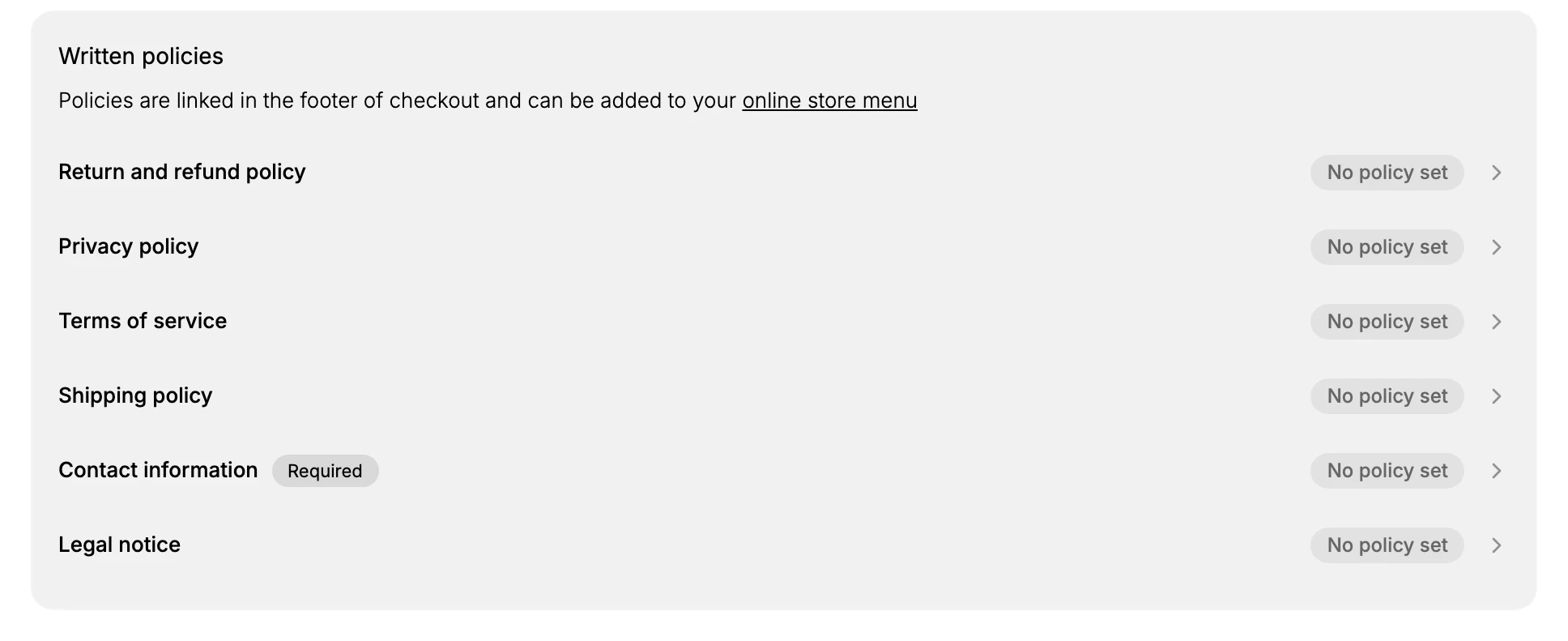
- Open Settings > Policies in the admin sidebar, then under Written policies select Privacy policy.
Publish your privacy policy
- Open the Privacy policy. On the Policies page, under Written policies, select Privacy policy. Its editor opens with a note that this policy explains how you collect, use, and protect customer data and helps you comply with privacy regulations like GDPR and CCPA.
- Start your draft. Choose how to begin: Use template for a starting draft, Generate with AI for a generated draft to review, or Start from scratch for a blank editor. A draft is a starting point, so read it against the data your store really collects rather than publishing it as is.
- Write the policy in your own terms. Fill in the points above so the policy matches your store: the data you actually collect, the services you share it with, and how a customer can reach you about their data. Removing anything that does not apply is better than leaving a claim you cannot stand behind.
- Review the disclaimer and save. The editor notes that a template is for information only and is not legal advice, so have anything binding checked before you rely on it. When the policy is ready, save it; it then shows as set on the Policies page and its link works from the checkout footer.
What setting it changes, and what leaving it changes
A privacy policy is not a switch that turns something on in your store. It is a page customers can read, and the only thing that changes is what they find there.
| State | What a customer sees at /policies/privacy-policy on your storefront |
|---|---|
| No policy set | The page still opens, but reads This policy isn't available. |
| Written and saved | Your policy text, with the store's normal header and footer around it |
| Started from a draft and left unfinished | Your text with its bracketed placeholders shown exactly as they were left, such as the store name and contact email |
The page exists either way, so nothing breaks by leaving it unwritten. What you lose is the answer a customer came for, at the moment they went looking for it.
Two more things follow from that.
- The policy is not required to sell. Only Contact information is marked Required on the Policies page. Nothing stops a customer buying from you while the privacy policy is unwritten.
- The link is placed for you. Once the policy is saved, its link is carried in the checkout footer without you adding it anywhere, and you can also add it to your storefront menu.
The third row of that table is the one to watch. A published draft looks finished from the admin, because the status reads Automated rather than No policy set, while the customer is reading placeholders.
Verify the result
- Privacy policy shows as set on the Policies page rather than No policy set.
- The privacy policy link opens your text from the checkout footer.
- The policy names the data you collect and how a customer can ask about it.
Best practices
- Match the policy to the data your store and its connected services really collect, since an inaccurate privacy policy is a promise you cannot keep.
- Have it reviewed by someone qualified where it is legally binding, rather than relying on a template alone.
- Update it whenever you add a service that handles customer data, so the policy stays true to your practices.
- Give customers a clear way to reach you about their data, which is often the first thing a regulator or customer looks for.
Common mistakes
- Publishing the template unchanged. The draft arrives with bracketed placeholders such as the contact email and address, and with general wording that may not match what your store does. A privacy policy that names data you do not collect, or omits data you do, is inaccurate in the direction that matters most.
- Forgetting the services behind your store. Your payment provider, shipping carriers, analytics, and marketing tools all handle customer data. If they are not reflected, the policy does not describe reality.
- Relying on the draft as legal cover. The editor carries an Important legal disclaimer stating the template is provided for informational purposes only and does not constitute legal advice. Where the policy is binding, have it reviewed.
- Writing it once and leaving it. Every new tool that touches customer data is a reason to reread it.
Next steps
Related articles
- Storefront Privacy Policy for where the policy appears to customers.
- Contact Information Policy
- Marketing Consent at Checkout
- Notifications
Still stuck?
- Ask Tanqory AIAsk in your own words. It answers from these articles and links the ones it used.
- Ask in your adminThe assistant in your Tanqory admin answers and makes the change for you once you confirm.
- Contact TanqoryWrite to our privacy, security or legal teams, or talk to sales about a plan or a move.