Preview a Theme
Previewing lets you see how your store looks before customers do. The theme builder shows a live preview of your store as you edit, you can check it at different screen sizes with the Screen size control, and you can open the real store in a new tab with Open web. This article explains the ways to preview your theme so you can check your changes before publishing them.
On this page
Previewing lets you see how your store looks before your customers do, so you can check your changes before they go live. You preview your theme from the theme builder, which shows your store as a live preview while you edit. This article explains the ways to preview.
You open the builder with Customize on the theme under Online Store, in Themes.
The live preview in the builder
The middle of the theme builder is a live preview of your store. As you edit a section, the preview updates to show how it looks, so you are always seeing the real result of your changes rather than a separate mock-up.
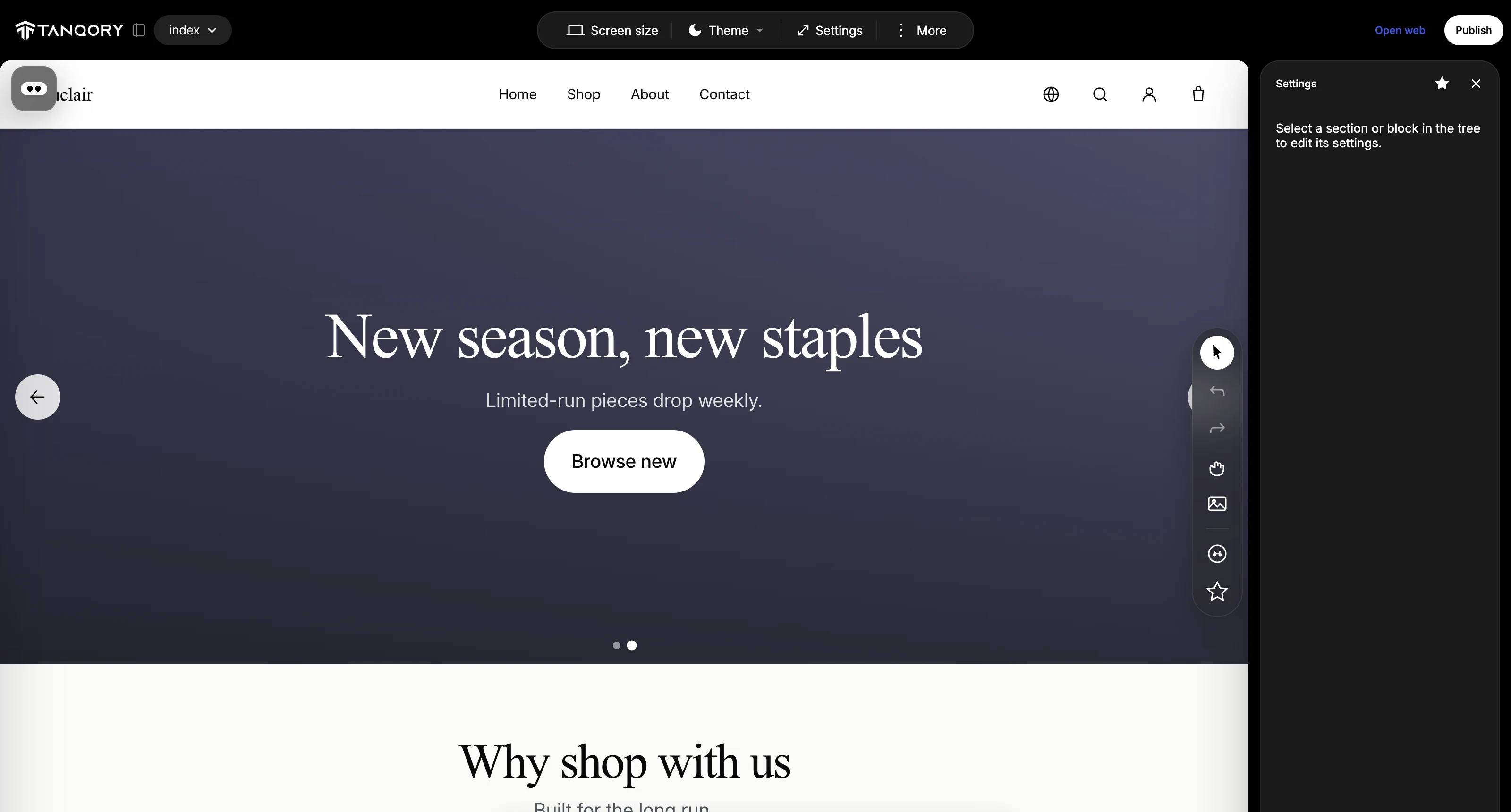
Preview at different screen sizes
Customers visit your store on phones as well as computers, so the toolbar has a Screen size control to preview the store at different device sizes. Use it to switch the preview to a smaller screen and check that your theme still looks right on a phone, not only on a wide desktop.
Open the live store
To see the store exactly as a customer would, use Open web in the builder, or View Store on the Themes page, which opens your live store in a new tab. This shows the published version of the store, so it is the way to confirm what customers are actually seeing.
Best practices
- Preview at a phone size as well as desktop, so the theme works for customers on mobile.
- Preview your changes before you publish, so only the version you intend goes live.
- Open the live store to confirm what customers see after you publish.
Common mistakes
- Checking only the desktop size, and missing a layout problem on mobile.
- Publishing without previewing, which puts changes on the live store before you have seen them.
Next steps
Related articles
Still stuck?
- Ask Tanqory AIAsk in your own words. It answers from these articles and links the ones it used.
- Ask in your adminThe assistant in your Tanqory admin answers and makes the change for you once you confirm.
- Contact TanqoryWrite to our privacy, security or legal teams, or talk to sales about a plan or a move.