Metafields and Metaobjects
Metafields let you add your own custom data to a store resource, such as a product or a customer, for information that does not have a built-in field, while metaobjects let you build custom data structures of your own. You manage both from the Metafields and metaobjects page, where metafield definitions are grouped by the resource they belong to. This article explains the page, how definitions are organized by resource, and how metafields and metaobjects differ.
On this page
Metafields let you add your own custom data to a store resource, such as a product, a customer, or an order, for information that does not have a built-in field of its own. Metaobjects go a step further and let you build custom data structures of your own. You manage both from the Metafields and metaobjects page, where metafield definitions are grouped by the resource they apply to. This article explains the page.
You open it from Settings > Metafields & metaobjects.
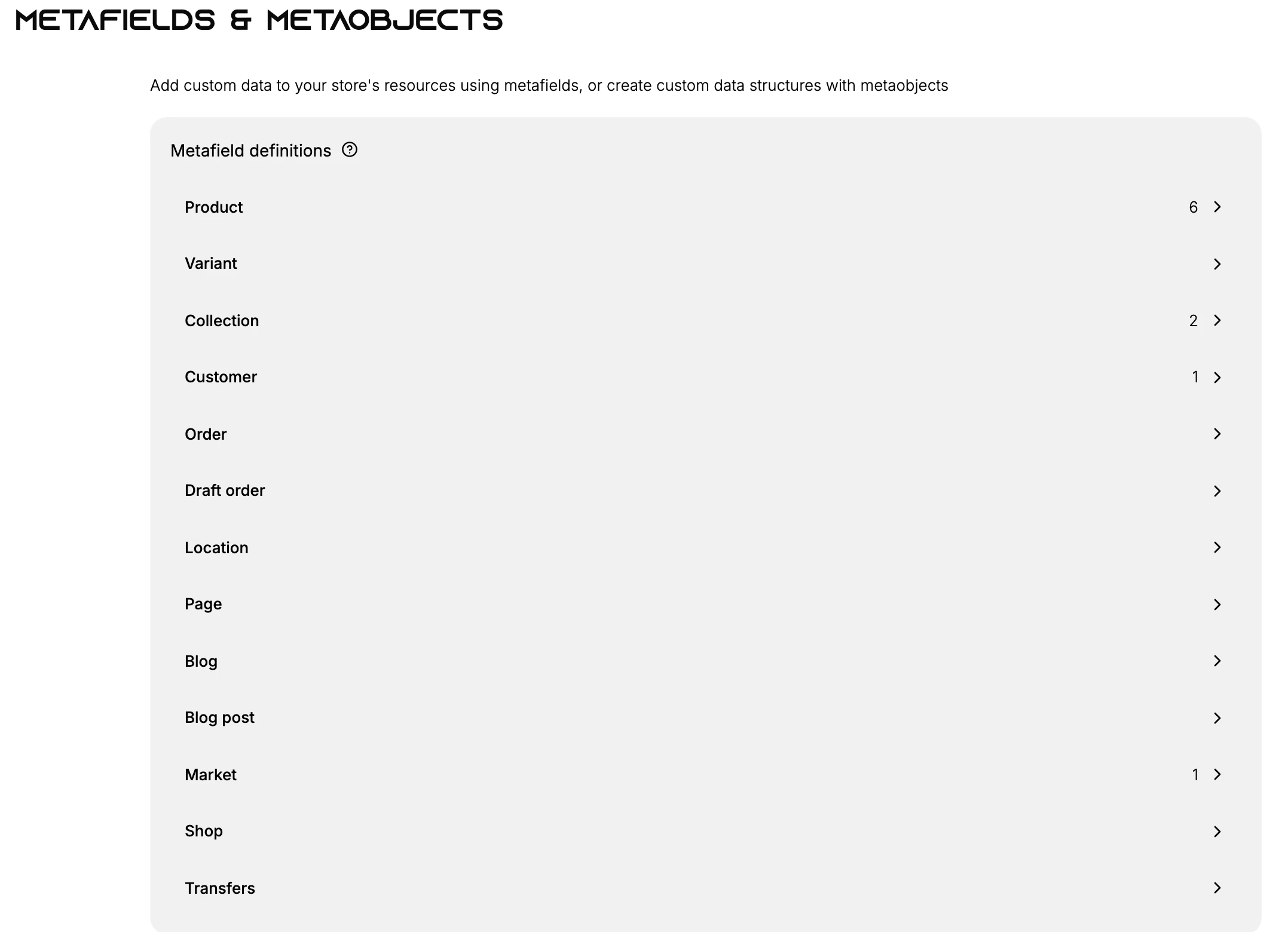
Metafield definitions by resource
A metafield definition sets up a custom field for a type of resource, so every item of that type can carry the same piece of custom data. On the page, the definitions are grouped by resource, and each resource opens to show and manage its own definitions. A number next to a resource shows how many definitions it already has.
The resources you can define metafields for are Product, Variant, Collection, Customer, Order, Draft order, Location, Page, Blog, Blog post, Market, Shop, and Transfers. Select a resource to see its definitions and to add a new one, which Create a Metafield Definition walks through.
Metaobjects
The same page has a Metaobject definitions section for building metaobjects - custom data structures of their own, rather than a single field on an existing resource. You can also manage them on the dedicated Content > Metaobjects page. Reach for a metaobject when the custom data is its own thing, such as a set of size charts or a list of store features. Metaobjects for Reusable Custom Data explains how to define and use them.
Metafields or metaobjects
- Use a metafield to add one piece of custom data to an existing resource, for example a care instruction on a product or a birthday on a customer.
- Use a metaobject to model a whole custom object with several fields of its own, which you can then reference from other resources.
Best practices
- Define the metafield on the right resource, so the data lives on the item it belongs to.
- Reuse a definition across items, rather than adding one-off data, so the field is consistent.
- Reach for a metaobject when the data is a structure of its own, not a single field.
Common mistakes
- Adding a metafield to the wrong resource, for example putting product data on the shop.
- Using many one-off metafields where a single metaobject would model the data better.
Next steps
Related articles
Still stuck?
- Ask Tanqory AIAsk in your own words. It answers from these articles and links the ones it used.
- Ask in your adminThe assistant in your Tanqory admin answers and makes the change for you once you confirm.
- Contact TanqoryWrite to our privacy, security or legal teams, or talk to sales about a plan or a move.