Metaobjects for Reusable Custom Data
A metaobject is a reusable custom record with several fields, such as a sizing chart, an author bio, or a store location, that you define once and reference from many products and pages.
On this page
A metaobject is a custom record made of several fields that you define once and reuse in many places. Where a metafield adds a single value to one record, such as one product or one customer, a metaobject is a standalone record you can point to from many products, pages, and blog posts at the same time. Use one when the same structured information, such as a sizing chart or an author bio, needs to appear in more than one place and stay consistent.
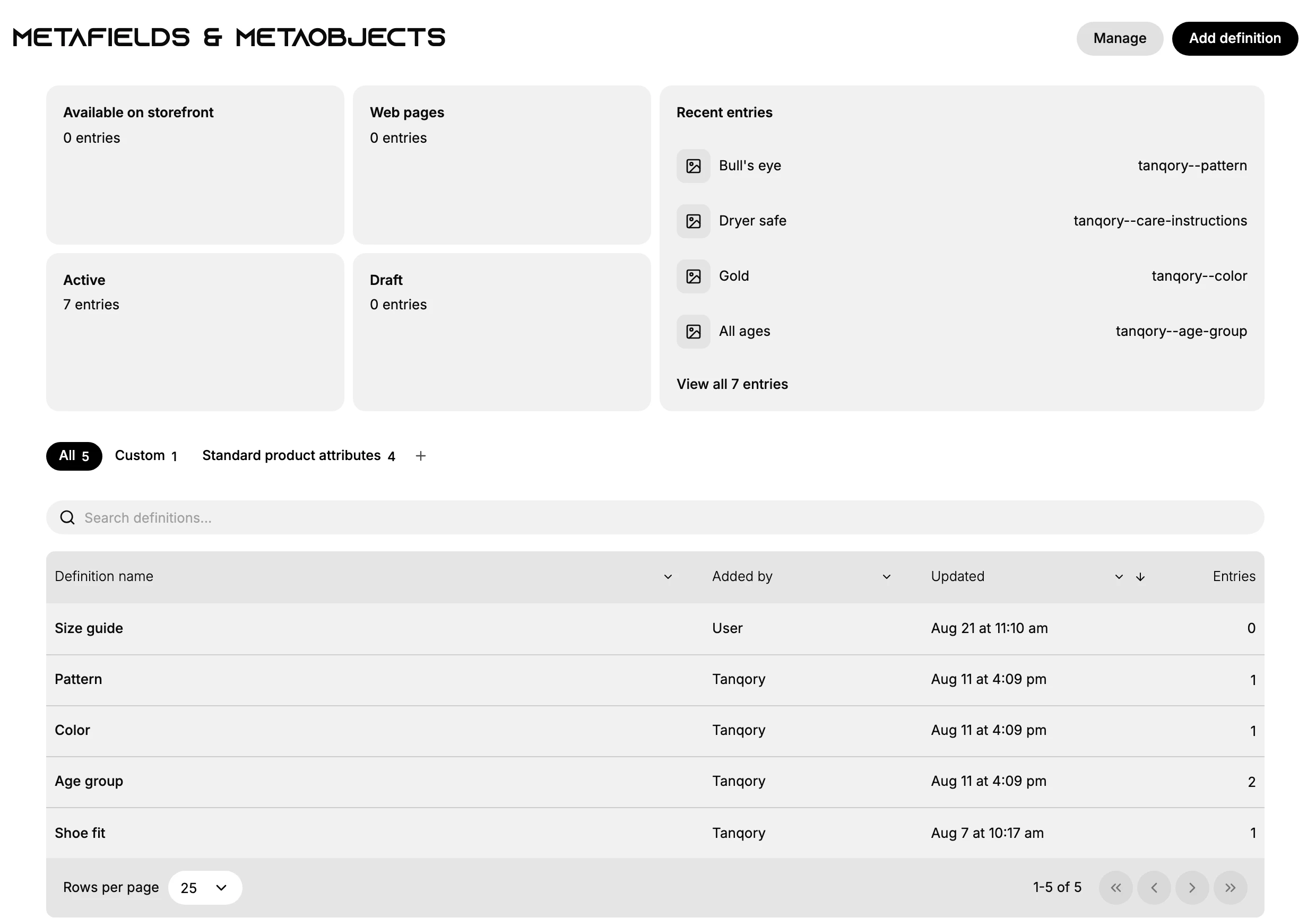
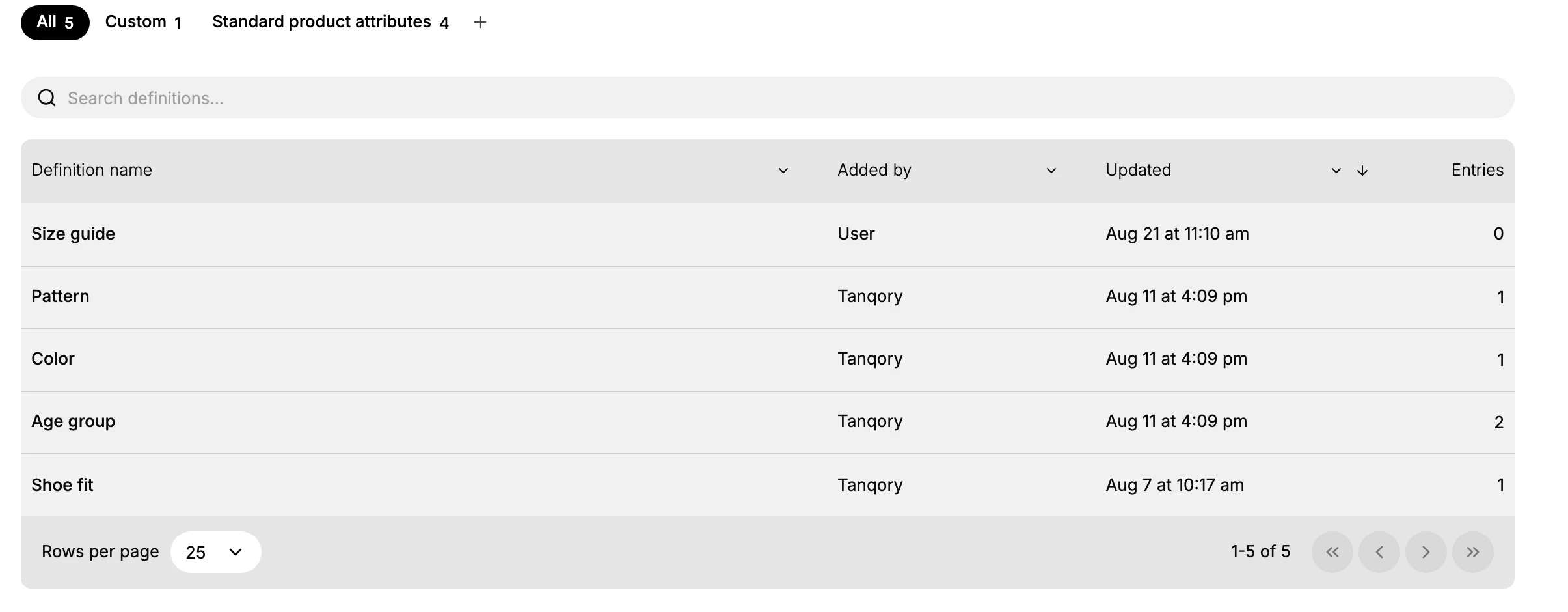
In the Tanqory admin, metaobjects live under Content > Metaobjects, on the Metafields & metaobjects page. The Custom tab holds the metaobjects you create, and Standard product attributes holds Tanqory's built-in ones such as Color, Pattern, and Age group. Add definition creates a new one, and each definition is listed with how many entries it has.
What a metaobject is
A metaobject has a few parts:
- Definition is the blueprint. It sets the name and the fields, with their types, that every entry will have. You create it with Add definition.
- Entry is one record that follows the definition, with real values in each field.
- Fields are the typed pieces of data in an entry. Each field has a type, such as text, a date, an image, money, a color, a link to a product or page, or a reference to another metaobject.
- Reference is a link from a product, page, or other record to a metaobject entry, so the same entry can appear in many places.
How this differs from a metafield:
| Metafield | Metaobject | |
|---|---|---|
| What it is | A single extra field on one record | A standalone record with several fields |
| Where it lives | On one product, customer, or page | In its own definition, referenced from many records |
| Reuse | Tied to the one record it sits on | One entry can be referenced from many places |
| Best for | A single value, such as a care label | Structured data reused across the catalog |
Note: One entry can be referenced from many places, and each entry's References column shows everywhere it is used. Check it before you change or delete an entry, so you do not break the products or pages that point to it.
When to use one
Use a metaobject when the same structured data is reused; use a metafield when a single value belongs to one record.
| Scenario | Use a metaobject |
|---|---|
| A sizing chart shared across many products | Yes |
| An author bio shown on several blog posts | Yes |
| A store location with address, hours, and phone | Yes |
| A single care instruction on one product | No, use a metafield on the product |
| A customer's preferred name | No, use a metafield on the customer |
Common examples are a sizing chart (brand, region, and the size table, reused across a clothing line) and an author bio (name, photo, biography, and social links shown on every post by that author). Others are a store location (address, opening hours, phone, and map position for a store finder), and an FAQ entry (a question and its answer, grouped into a help section).
How to create and use one
The work happens in three parts, each with its own article:
- Define the structure. Create the definition and its fields, which Define a Metaobject Schema walks through.
- Add entries. Create one record per real item, following the definition; Create Metaobject Entries covers it.
- Reference and display. Point to an entry from a product, page, or another record. Each entry's References column shows everywhere it is used. You can publish entries as web pages or read them through the Storefront API, and your theme can show an entry's fields on the storefront.
Best practices and common mistakes
- Reuse one entry in many places instead of copying the same data onto each product, which is the point of a metaobject.
- Keep referenced entries in place so the links from products and pages do not break.
- Choose the right field type for each field so entries stay consistent.
- Write down what each metaobject type is for so the team uses them the same way.
- Do not create one entry per product, which loses the reuse a metaobject is meant for. Use a metafield instead.
- Do not change a definition's fields in a way that breaks entries already in use, and remove entries that nothing references.
Next steps
- Define a Metaobject Schema
- Create Metaobject Entries
- Create a Metafield Definition
- Custom Data Overview
Related articles
Still stuck?
- Ask Tanqory AIAsk in your own words. It answers from these articles and links the ones it used.
- Ask in your adminThe assistant in your Tanqory admin answers and makes the change for you once you confirm.
- Contact TanqoryWrite to our privacy, security or legal teams, or talk to sales about a plan or a move.