Create Metaobject Entries
Once a metaobject definition exists, add entries to it. Each entry is one reusable record that fills in the definition's fields, with its own status and handle.
On this page
An entry is one record that fills in a metaobject definition's fields. Where the definition is the blueprint, an entry is a real item that follows it, such as one regional size chart, one author bio, or one store location. The same entry can be referenced from many products and pages, so the data stays consistent everywhere it appears. You add entries on the Metaobjects page, once a definition exists.
Before you begin
- A metaobject definition already exists. Define a Metaobject Schema covers creating one.
- Your role includes Create metaobjects.
- Open Content > Metaobjects in the admin sidebar and open the definition you want to add an entry to.
Add an entry
Open the definition you want (for example Size guide), then click Add entry. The entry form opens with the fields the definition defines, plus a status and a handle. The fields differ per definition; the Size guide definition used here has two, Region and Measurements.
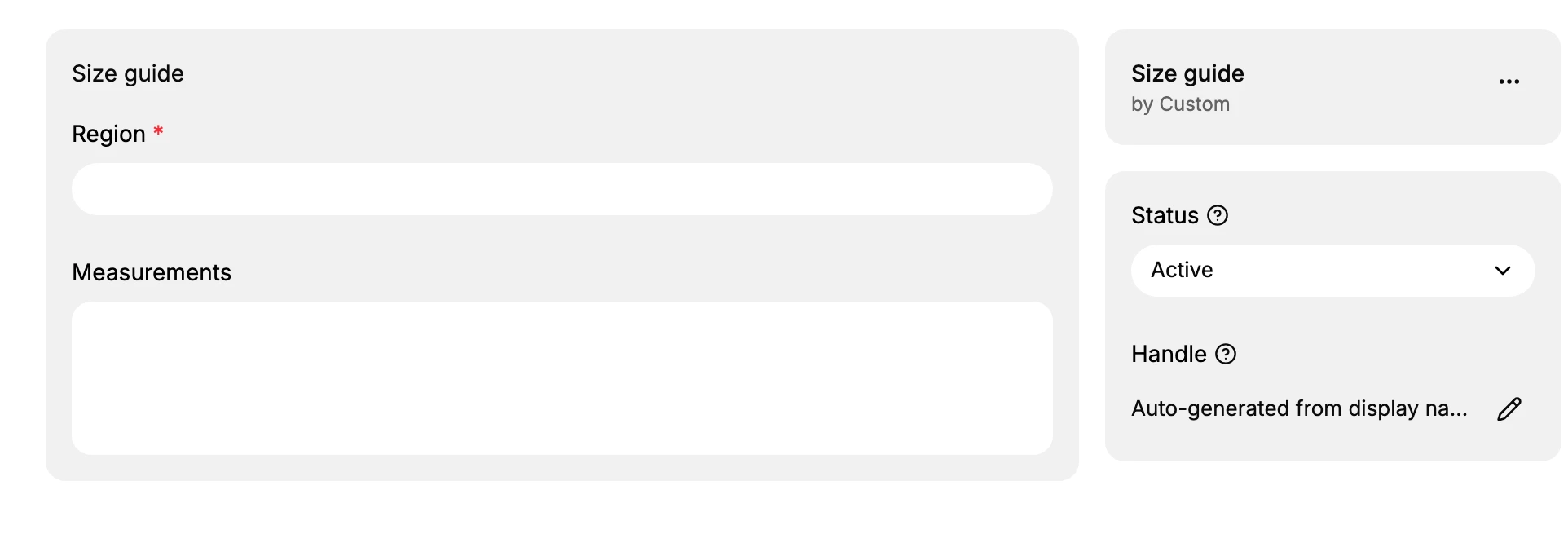
- Region is the first field this definition defines. Enter the value for this entry, for example Europe (EU). The asterisk marks it as required, so the entry cannot be saved until it is filled.
- Measurements is the second field. Enter the data it holds, here the size table for that region.
- Status controls whether the entry is live. Leave it Active to make the entry available, or set it to Draft to keep it as a work in progress. This field appears because the definition has the Active-draft status option turned on.
- Handle is generated automatically from the entry's display name, so you can leave it as is. Use the edit control only when you need a specific handle for a theme or API reference.
When the fields are filled, click Save on the bar at the top of the form. The entry then appears in the definition's entries list, ready to be referenced.
Note: Adding an entry does not display it anywhere on its own. To show it, reference the entry from a product, page, or other record, or read it through the Storefront API. Metaobjects for Reusable Custom Data explains how referencing and display work.
Best practices and common mistakes
- Reuse one entry across many products and pages instead of copying the same data onto each, which is the point of a metaobject.
- Keep an entry in place once products or pages reference it, so the references do not break. Each entry's References column shows everywhere it is used; check it before you delete an entry.
- Use Draft while an entry is incomplete, and switch it to Active only when it is ready to appear on the storefront.
- Do not create one entry per product. That loses the reuse a metaobject is meant for; use a metafield on the product instead.
- Do not change an entry's handle after a theme or the API already references it, or those references will stop resolving.
Next steps
Related articles
Still stuck?
- Ask Tanqory AIAsk in your own words. It answers from these articles and links the ones it used.
- Ask in your adminThe assistant in your Tanqory admin answers and makes the change for you once you confirm.
- Contact TanqoryWrite to our privacy, security or legal teams, or talk to sales about a plan or a move.