Payment Provider Detail Page
Manage a specific connected payment provider: credentials, supported methods, test mode toggle, per-method visibility, fees, webhook health.
On this page
The Payment Provider detail page is where you manage one connected PSP: credentials, test/live mode, supported methods, fees, webhook health, dispute settings.
You'll work at /admin/store/{storeId}/settings/payments/{providerId}.
Before you begin
- Go to Settings, open Payments, and click the connected provider.
- You have Payments settings permission.
Sections
| Section | Purpose |
|---|---|
| Connection status | Healthy / disconnected / error |
| Account info | PSP account ID + display name |
| Test mode toggle | Test transactions only |
| Supported methods | Per-method enable/disable (cards, wallets, BNPL) |
| Per-method config | Per-method fees + display |
| Capture mode | Auto / Manual capture |
| Currencies | Which currencies route here |
| Webhook health | Recent webhook events + failures |
| Fees | Disclosed fee structure (display only; PSP-authoritative) |
| Logs | Recent transactions through this provider |
| Disconnect | Remove provider |
Capture mode
| Mode | When the charge actually settles |
|---|---|
| Auto-capture | At order placement |
| Manual capture | After staff click "Capture" (e.g., before fulfillment) |
| Pick auto when | Pick manual when |
|---|---|
| Inventory in hand | Pre-orders / made-to-order |
| Fast fulfillment | Fraud-screening workflow |
| Standard ecommerce | High-ticket / high-risk |
Steps
1. Open Settings > Payments
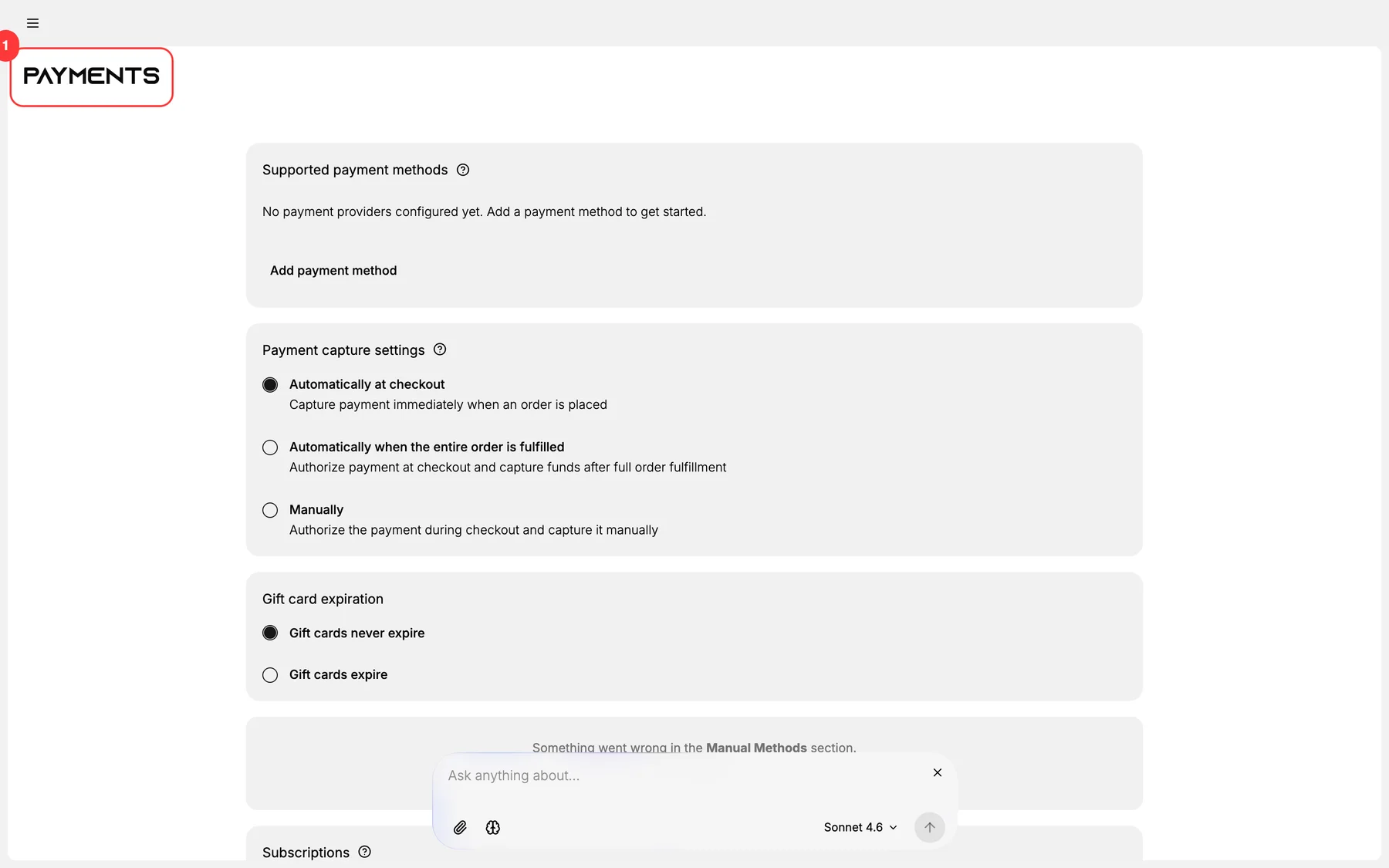
2. Click the connected provider
3. Review/edit sections per above table
4. Verify webhook health
5. Verify test transaction (in test mode)
6. Save changes
Verify the result
- Settings saved.
- Test transaction succeeds.
- Webhook health green.
- Live transactions route correctly.
Best practices
- Monitor webhook health weekly.
- Manual capture for high-risk segments.
- Disclose fees accurately to internal stakeholders.
- Rotate credentials quarterly.
Common mistakes
- Test mode left on in production.
- Webhook URL pointing at staging.
- Stale credentials.
- Wrong capture mode for the business model.
If something goes wrong
- Connection failed: re-authenticate.
- Webhook failures: verify endpoint + signing secret.
- Permission denied: your role lacks Payments settings.
Next steps
Related articles
Still stuck?
- Ask Tanqory AIAsk in your own words. It answers from these articles and links the ones it used.
- Ask in your adminThe assistant in your Tanqory admin answers and makes the change for you once you confirm.
- Contact TanqoryWrite to our privacy, security or legal teams, or talk to sales about a plan or a move.