Webhook Configuration
Receive real-time payment events from your provider into Tanqory. Critical for keeping order state in sync (capture, refund, dispute, chargeback).
On this page
A webhook is a real-time HTTP callback from your payment provider to Tanqory. When something happens (charge succeeded, refund issued, dispute opened), the provider POSTs the event to Tanqory's webhook URL. Tanqory updates order state accordingly.
Without webhooks: Tanqory may not know about provider-initiated events (e.g., a dispute or chargeback opened in the provider dashboard).
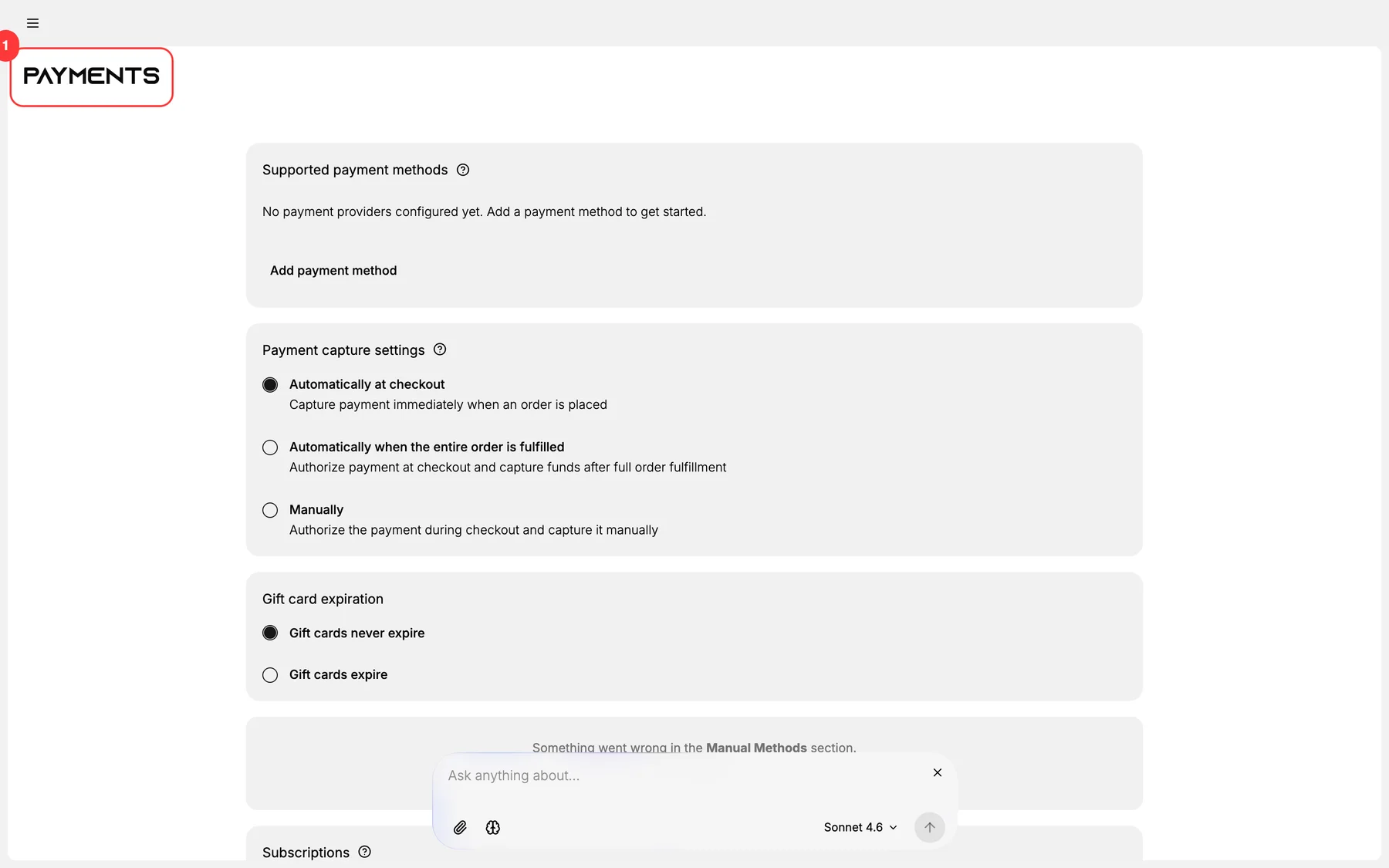
You'll work at /admin/store/{storeId}/settings/payments for Tanqory side + the provider's dashboard for the webhook setup.
Common webhook events
| Event | Triggered when | Tanqory action |
|---|---|---|
charge.succeeded |
Customer pays | Order moves to Paid |
charge.failed |
Payment fails | Order stays Pending or Cancelled |
charge.refunded |
Refund issued (any source) | Order updated to Refunded |
charge.dispute.created |
Customer files chargeback | Tanqory flags the order |
charge.dispute.closed |
Dispute resolved | Order updated |
payout.created |
Funds settled to your bank | Tanqory logs the payout |
customer.subscription.* |
Subscription events | Update subscription state |
Before you begin
- You are signed in to your Tanqory store admin.
- You have Manage payments permission.
- You have admin access to your provider's dashboard.
Steps
1. Open Settings > Payments
Tanqory shows the webhook URL it expects.
2. Copy Tanqory's webhook URL
Looks like https://api.tanqory.com/webhooks/{provider}/{store-id} (specific format varies).
3. Open the provider dashboard
Stripe → Developers → Webhooks. PayPal → Developer → Webhooks.
4. Add a webhook endpoint
Paste Tanqory's URL. The provider may show:
- The signing secret (use this to verify requests).
- Required event types.
5. Subscribe to events
Select the relevant events from the catalog above. Use the provider's "Send all" if unsure.
6. Save Tanqory the signing secret
For webhook signature verification. Critical for security: without it, attackers could fake webhook events.
7. Test the webhook
Most providers have a "Send test event" button. Trigger it; verify Tanqory receives.
8. Monitor webhook delivery
The provider dashboard shows webhook delivery status. Track failures.
Verify the result
- Webhook endpoint registered at provider.
- Tanqory receives test events.
- Order events flow through (refunds, disputes, etc.).
- Signing-secret verification active.
Best practices
- Subscribe to all relevant events. Easier than retroactive add.
- Verify signing secrets. Critical for security.
- Monitor delivery at the provider.
- Re-try failed webhooks (the provider auto-retries; check schedule).
- Document the webhook setup for future operators.
Common mistakes
- No webhook configured: Tanqory misses provider-side events.
- No signing-secret verification: security vulnerability.
- Wrong URL: events lost.
- Missing events subscribed: partial state sync.
- Not monitoring failures: silent drift.
If something goes wrong
- Webhook events not arriving: verify URL + provider dashboard delivery status.
- Tanqory rejects events: likely signing-secret mismatch.
- Specific event missing: verify subscription.
- Permission denied: your role lacks Manage payments.
Next steps
Related articles
Still stuck?
- Ask Tanqory AIAsk in your own words. It answers from these articles and links the ones it used.
- Ask in your adminThe assistant in your Tanqory admin answers and makes the change for you once you confirm.
- Contact TanqoryWrite to our privacy, security or legal teams, or talk to sales about a plan or a move.