Cash on Delivery (COD)
COD is a manual payment method enabled in Supported payment methods. Required in markets with low card penetration; carries fulfillment + collection risk.
On this page
Cash on Delivery (COD) lets customers complete checkout without prepayment: payment happens at delivery, in cash. Common in markets with low card adoption (parts of Southeast Asia, Latin America, Middle East). COD adds revenue but also adds fulfillment risk: refused-delivery rate is materially higher than prepaid.
Enabled under Supported payment methods in Settings > Payments.
Before you begin
- You are signed in to your Tanqory store admin.
- You have the Manage payments permission.
- Your courier / 3PL supports COD collection in your operating markets.
- You have alignment on policies: minimum COD threshold, maximum COD amount, COD-eligible product categories.
Steps
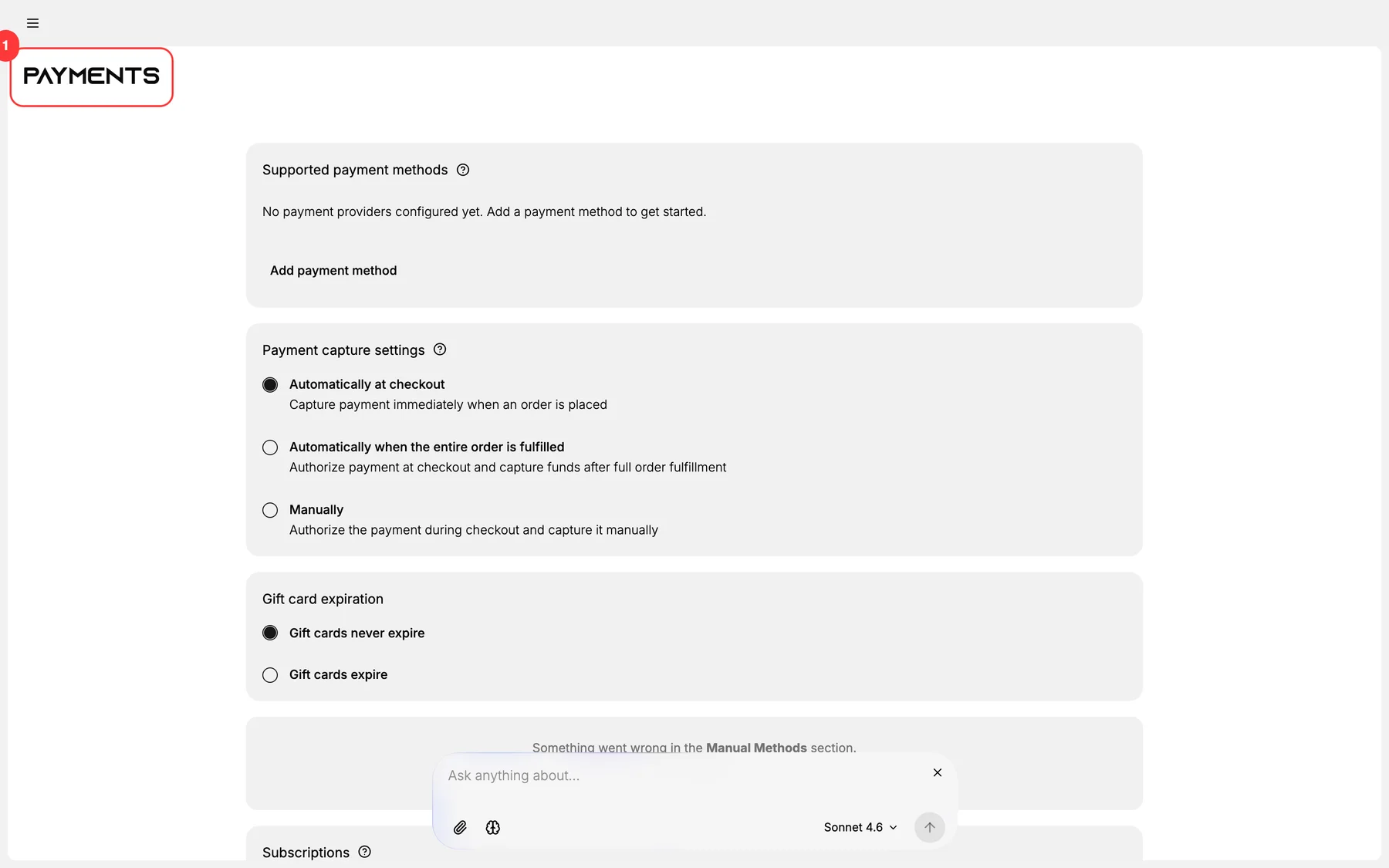
1. Open Settings > Payments
The Payments page renders with 5 sections.
2. Open Supported payment methods and add COD
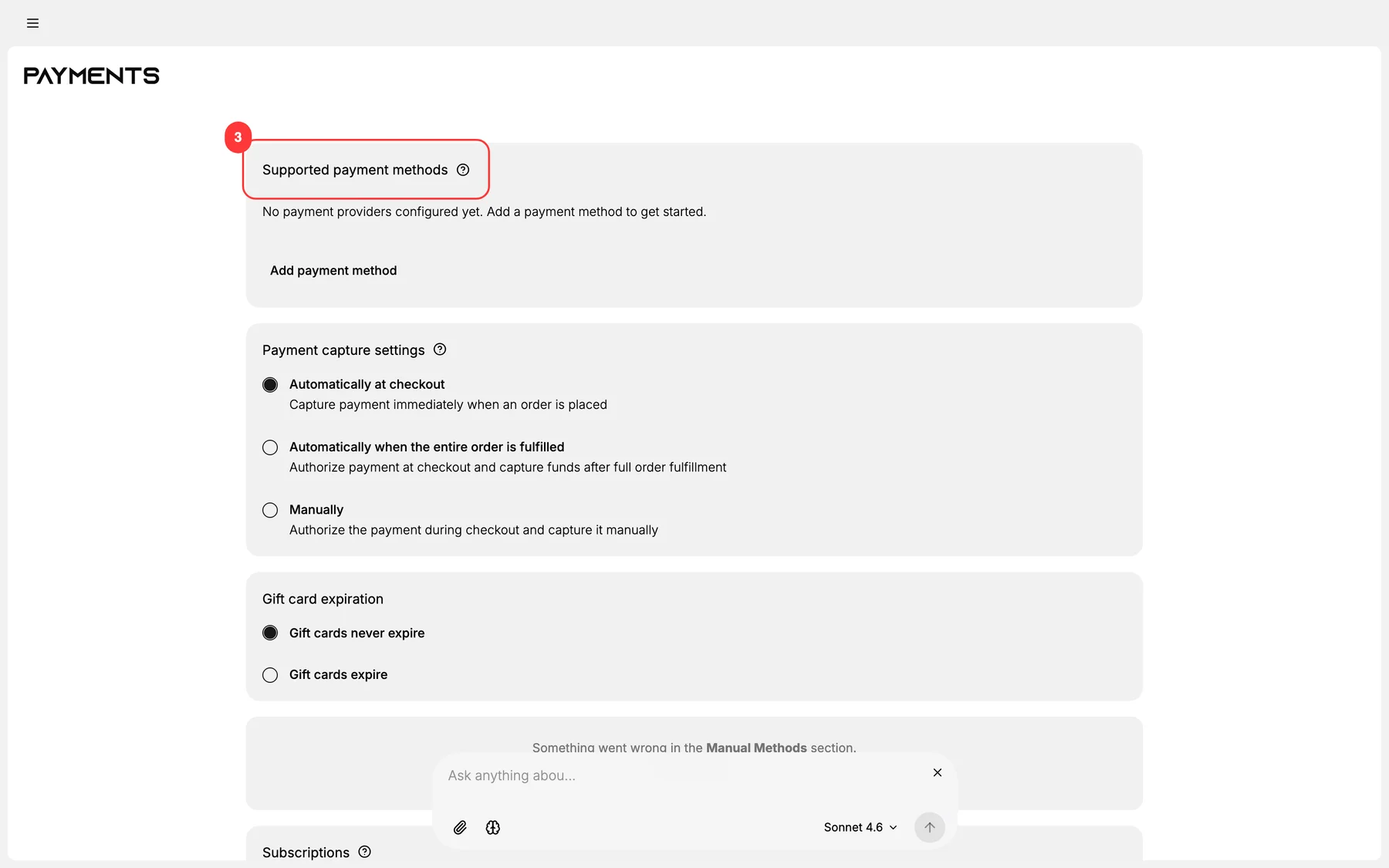
Click into Supported payment methods. Add Cash on Delivery under the manual / alternative payment methods category.
3. Configure COD-specific settings
- Display name at checkout (e.g., "Cash on Delivery", "Pay when delivered").
- Customer-facing instructions (e.g., "Please have exact change ready").
- Eligibility rules: typically by country, optionally by cart-value range.
- Service fee if your COD courier charges a per-order fee that you pass through.
4. Set COD threshold rules
Most stores set:
- Minimum cart value to qualify for COD (avoids tiny-cart abuse).
- Maximum cart value to limit refused-delivery risk on high-value items.
These rules surface or hide COD at checkout based on cart total.
5. Configure shipping-zone eligibility
COD is geo-dependent. Under Settings > Shipping, mark which zones / countries support COD. Outside those zones, COD is hidden at checkout.
6. Save and test
Run a test order from a private browser session in a COD-eligible geo. Verify COD appears as a checkout option, the order is created in Pending payment status, and your fulfillment workflow handles it correctly.
Verify the result
- COD appears as a payment option at checkout (in eligible geos / within threshold rules).
- COD orders are created in Pending payment status, not Paid.
- Order moves to Paid only on courier confirmation of cash collection.
- Refused-delivery orders auto-cancel via your courier integration (or operator action).
Best practices
- Set max-cart-value threshold: high-value COD has high refusal risk.
- Service-fee on COD orders: partially offsets refused-delivery losses.
- Track refused-delivery rate by SKU + geo: kill COD on bad-actor combinations.
- Confirm cash collection via courier API before marking the order Paid.
- Document the policy clearly in the order confirmation email: customer expectations matter.
Common mistakes
- No threshold rules: abuse on tiny carts.
- Marking orders Paid on placement: they're not paid until delivery.
- No refused-delivery handling: orders linger forever in pending.
- Ignoring zone eligibility: confused customers in non-COD geos.
- No service fee when courier charges one: bleeds margin.
If something goes wrong
- COD not appearing at checkout: verify zone eligibility + threshold rules.
- Cash collection not confirmed: verify courier API integration; manual confirm via order action menu.
- High refused-delivery rate: review threshold + eligibility rules; tighten if needed.
- Refused-delivery refund logic broken: refunds don't apply (no money was ever taken); the order must be cancelled.
- Permission denied: your role lacks Manage payments.
Next steps
Related articles
Still stuck?
- Ask Tanqory AIAsk in your own words. It answers from these articles and links the ones it used.
- Ask in your adminThe assistant in your Tanqory admin answers and makes the change for you once you confirm.
- Contact TanqoryWrite to our privacy, security or legal teams, or talk to sales about a plan or a move.