Social Media Overview
Social media marketing in Tanqory is a loop rather than a single screen. You send people from social to your store, you tag and track that traffic so you can tell where it came from, and you read the attribution report to see which channels produced sales. This maps the four pieces and says which article sets up each one. It also gives the order to build them in, since tracking added later cannot recover clicks that have already happened.
On this page
Social media marketing with Tanqory is less about one screen and more about a loop. You send people from social to your store, you tag and track that traffic so you can tell where it came from, and you read the results to decide what to do more of. Tanqory gives you the pieces for the tracking and measurement side, while the posting and advertising happen in the social platforms themselves. Getting this loop in place is what turns social effort into numbers you can act on, instead of activity you cannot connect to sales. This overview shows how the pieces fit and links to the article for each one.
The pieces and how they fit
Each piece has its own article; together they form the loop.
- Pixels collect what shoppers do on your store and report it to an advertising or analytics platform, which is what lets a platform measure the sales your ads produce. You add them on the Customer events page, which Install a Pixel for Customer Events walks through.
- UTM tags on the links you share make your social traffic show up under a named channel instead of as direct. You build them in a URL builder and use them in your posts. UTM Tracking for Campaigns covers the parameters and the naming.
- The attribution report is where tagged traffic lands, breaking sessions and sales down by channel so you can see which ones are working. Attribution explains how to read it.
- Apps extend what your store can do, including the marketing and channel apps you add from the Apps page, which Social Marketing Apps takes.
Put the tracking in place before your first campaign. A pixel or a UTM convention added later cannot recover the clicks that already happened, so the earlier they exist, the more of your results you can actually measure.
Before you begin
- Your role includes Brand settings.
- Your product catalog is ready, so traffic you send from social arrives at complete product pages.
- You have brand accounts on the social platforms you plan to use.
- Open Settings > Customer events for pixels, Marketing > Attribution for results, and Apps for marketing tools, since the loop is built across those three pages rather than on one screen.
Build the loop
Set up the pieces in order, so each campaign is measured from its first click:
- Set up tracking first. Add a pixel on the Customer events page for each platform you advertise on, so the platform can measure results from your very first campaign. Setting this up before you drive traffic means you are not left without data when the first clicks arrive.
- Tag the links you share. Add UTM parameters to every link you post or advertise, using a consistent naming convention, which turns anonymous social traffic into named channels in your reports.
- Post and advertise on the platforms. Do the posting and advertising in each social platform, sending people to your store with your tagged links. Tanqory does not post on your behalf, so this happens in the platforms' own tools while your tracking records the results.
- Read the results and adjust. Open the attribution report to see which channels brought sessions and sales, then put more into what works and less into what does not. The report lists each channel as a row with a Type beside it, one of Direct, Social, Search, Email, Referral, Paid or Other. It compares them on Sessions, Sales, Orders, Conversion rate and AOV, with Cost, ROAS, CPA and CTR filled in for connected marketing apps. It also splits Orders from new customers from Orders from returning customers, which is how you tell a channel that finds people from one that brings them back. It groups by channel rather than by individual campaign, so keep campaign-level results in the platform's own reporting.
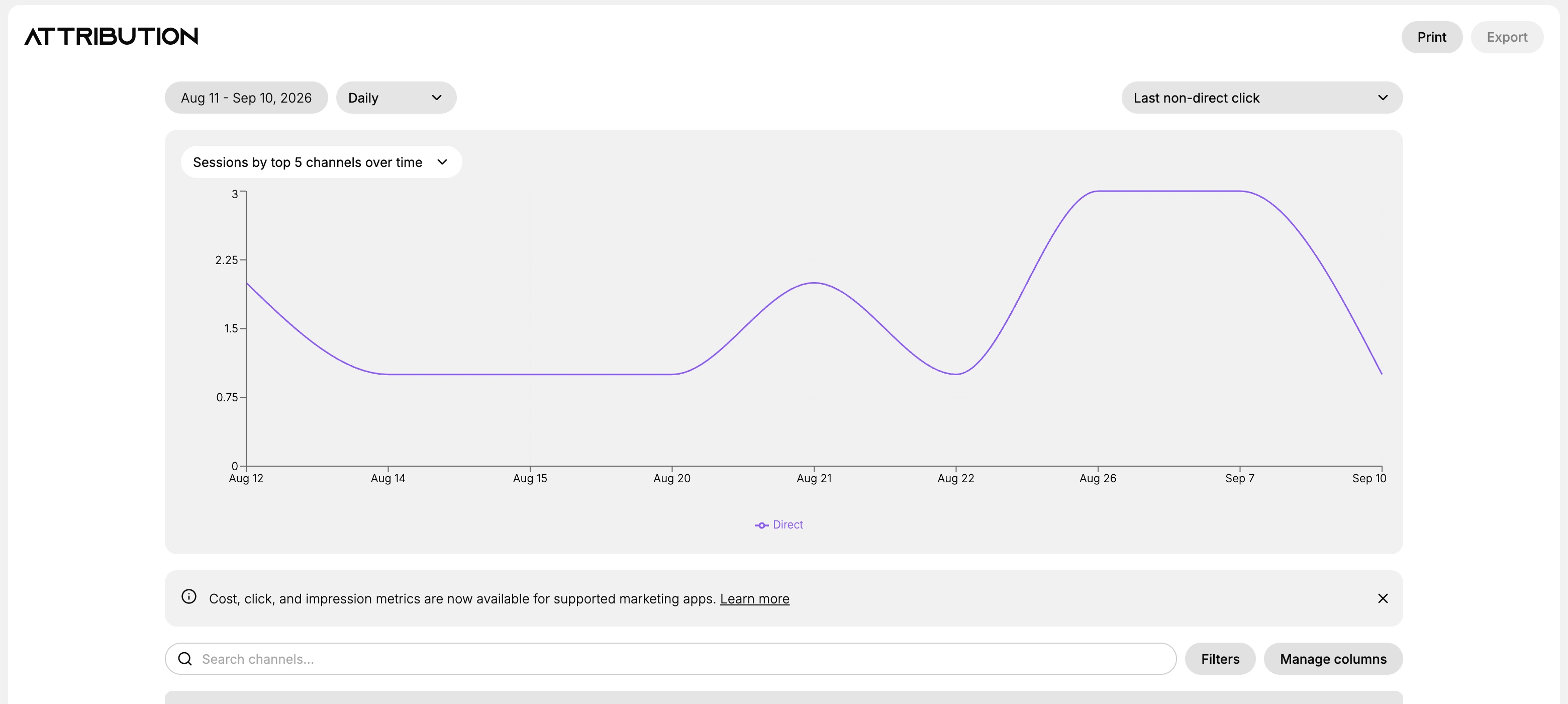
With the four pieces in place, a campaign is measured from its first click rather than from whenever tracking was added. The detail for each piece is in its own article, and the order above is what keeps that measurement unbroken.
Verify the result
- A pixel is added on the Customer events page for each platform you advertise on.
- Your shared links carry UTM tags and open the right product pages.
- The attribution report shows named channels rather than only direct traffic.
Best practices
- Set up your pixels and UTM convention before your first campaign, so you have data from day one.
- Focus on the platforms your audience actually uses rather than connecting everything at once.
- Keep your UTM naming consistent, since that is what keeps each channel as a single clean row in reporting.
- Review attribution regularly and shift effort toward the channels that convert.
Next steps
Related articles
Still stuck?
- Ask Tanqory AIAsk in your own words. It answers from these articles and links the ones it used.
- Ask in your adminThe assistant in your Tanqory admin answers and makes the change for you once you confirm.
- Contact TanqoryWrite to our privacy, security or legal teams, or talk to sales about a plan or a move.