Advertising Overview
Tanqory does not run your ads. It measures them, and this is the section that explains how. A pixel collects what shoppers do, UTM tags make your traffic arrive under a channel name instead of as direct, and the attribution report turns the two into sales by channel. Every article in the section is listed here, in the order you meet them.
On this page
Advertising with Tanqory is less about running ads inside the admin and more about measuring the ads you run on other platforms. You set up tracking so your store can see what shoppers do, you tag the links you advertise with, and then you read the reporting to learn which channels actually produce sales. Putting these pieces in place is what turns ad spend into numbers you can judge, rather than money you cannot connect to results. This overview shows how the pieces fit and points to the article for each one.
Before you begin
- You have an account on each advertising platform you want to measure, with its pixel app or tracking code to hand.
- You have settled a UTM naming convention. Renaming a channel later does not relabel the traffic already recorded under the old name.
- You have chosen which platforms to measure first rather than all of them at once, since each one needs its own pixel.
- Pixels are added under Settings > Customer events, and results are read under Marketing > Attribution.
How the measurement works
Three things have to be in place before a report can tell you anything, and they go in this order because each one depends on the last.
- A pixel, before you spend anything. A pixel sits on your store and watches what shoppers do. It reports that back to the advertising platform, which is how that platform knows which of its clicks turned into sales. Add one for each platform you advertise on. It only records from the moment it exists, so a pixel added after a campaign has run tells you nothing about that campaign.
- UTM tags on every link you advertise with. A tagged link arrives carrying the name of the channel and campaign that sent it. An untagged link arrives as direct, indistinguishable from someone typing your address into a browser, which is why untagged advertising traffic looks like it came from nowhere.
- The attribution report, read under its model. With the first two in place, Marketing > Attribution shows sessions, orders and sales for each channel. Which channel gets the credit for a sale depends on the model the report is using, and the report offers five of them.
The report compares channels rather than individual campaigns, so campaign-level results stay in the platform you advertised on. Once all three are running, the loop closes: you spend somewhere, the traffic arrives named, and the report tells you whether the spending was worth it.
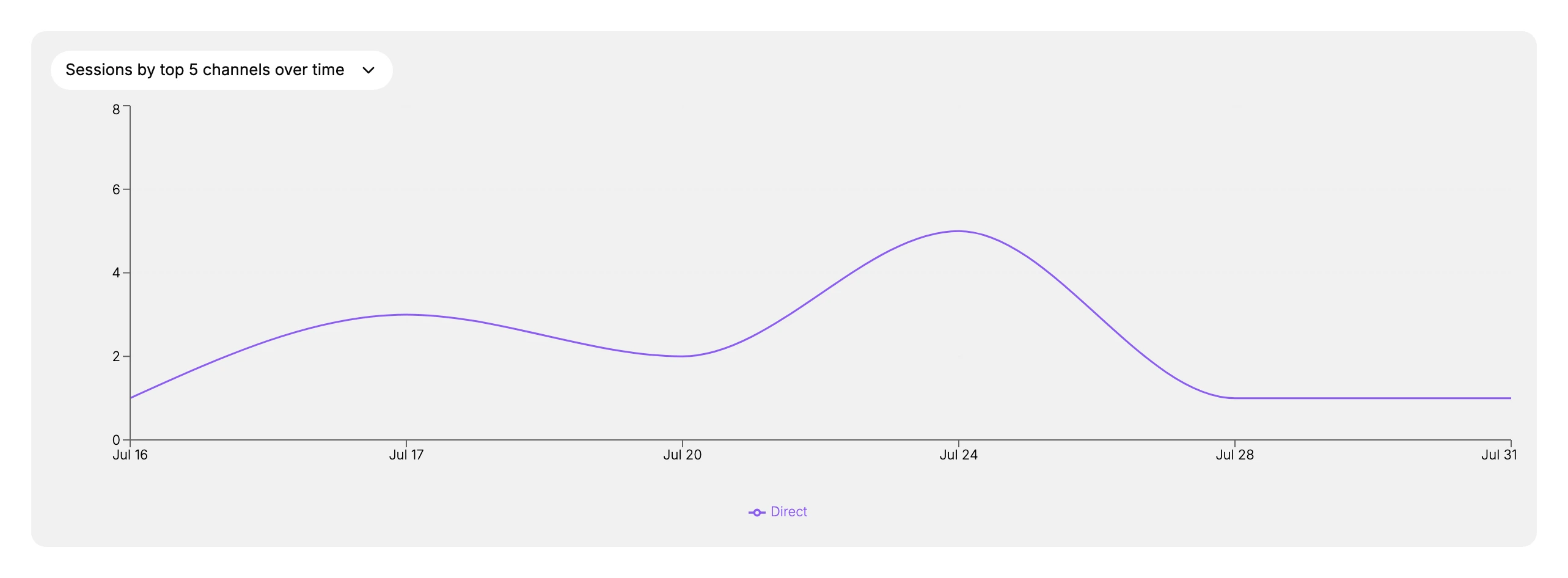
Until the first two pieces are in place, that chart has one line on it marked Direct, and it stays that way no matter how much you spend.
Verify the result
- A pixel is set up on the Customer events page for each platform you advertise on.
- The links you advertise with carry UTM tags and arrive tagged in reporting.
- The attribution report shows named channels rather than only direct traffic.
Best practices
- Set up your pixels and UTM convention before your first campaign, so you have data from the start.
- Read attribution as the closing touch under its model, and pair it with your own sense of the customer journey.
- Focus spend on the platforms your audience actually uses rather than measuring everything at once.
- Review results regularly and shift budget toward the channels that convert.
Where this sits in the admin, and what it is not
Advertising is not a menu of its own. The work described here is spread across three places, and it sits next to two more that look like they belong to it and do not.
The two menus this section uses. The Customer events page under Settings is the only place in the admin where a pixel can be created. The Attribution report under Marketing is the only report that credits a sale to a channel. Both are linked from Before you begin above. Between them sits Marketing > Overview, which gathers the headline figures, the top channels and your recent campaigns onto one page without being anywhere you change something.
Where the pixels themselves come from. That same Customer events page offers Explore pixel apps alongside Add custom pixel, and the first of those opens the Apps section. A pixel is therefore usually an app you install rather than code you write, and Apps is where the installing happens.
The two neighbours that are a different subject. Marketing > Campaigns and Marketing > Email Marketing sit in the same menu and are not part of this section. They are marketing you run from inside Tanqory, where this section is about measuring advertising you run outside it. The word campaign appears in both places and means different things. A campaign in this section is one you bought on another platform. A campaign under that menu is one you built here. Email Marketing Campaigns is where the second kind is documented.
Every article in this section
This is the only place in the section where every article is listed, and it is the reason to keep this page bookmarked rather than any single one below it. They are in the order you would meet them.
| Article | What it covers |
|---|---|
| Customer Events and Pixels | What the Customer events page collects and what those events feed |
| Set Up a Pixel | Adding a pixel, by app or by custom code |
| UTM Tracking for Campaigns | Tagging the links you advertise with, so traffic arrives named |
| Attribution | The report that shows what each channel brought |
| The Attribution Model | The rule that decides which channel gets credit for a sale |
| Attribution in Detail | The deeper measures behind a single channel |
| The Marketing Overview Page | The one page that gathers your headline figures, channels, campaigns and app activity |
| Marketing App Activities | What your connected marketing apps are working on |
Next steps
Related articles
Still stuck?
- Ask Tanqory AIAsk in your own words. It answers from these articles and links the ones it used.
- Ask in your adminThe assistant in your Tanqory admin answers and makes the change for you once you confirm.
- Contact TanqoryWrite to our privacy, security or legal teams, or talk to sales about a plan or a move.