SMS Marketing Consent
SMS marketing consent records that a customer agreed to receive marketing text messages. It runs on the phone number rather than the email address, so a customer with no phone on file cannot be subscribed at all, and its switch is greyed out until you add one.
On this page
SMS marketing consent records that a customer agreed to receive marketing text messages from your store. It is one of the three channel consents on a customer record, and Customer Marketing Subscription covers all three and the window they share.
What sets SMS apart from email is what it runs on. An email address is required to create a customer, so email consent always has something to attach to. A phone number is optional, and many customers never give you one, so SMS is the channel where the answer is often not "they said no" but "there is nothing to send to". The record shows that difference plainly once you know to look for it.
SMS and WhatsApp share the phone number
Tanqory's third channel, WhatsApp, reads the same phone number as SMS. They are still separate consents, so a customer can agree to one and refuse the other, but neither can be used unless a phone number exists on the record.
That gives three states worth telling apart, and only the first two are about the customer's wishes.
| What you see on the record | What it actually means |
|---|---|
| SMS subscribed | They agreed, and you have a number to send to |
| SMS not subscribed, phone on file | They have not agreed, or have not been asked |
| SMS not subscribed, no phone on file | The channel is unusable for this customer, whatever they agreed to |
Before you begin
- You have the Manage customer subscriptions permission, since the admin records marketing consent as a subscription.
- The customer has agreed to receive marketing text messages, and their phone number is on the record. If it is not, add it first under Edit contact information.
- Open Customers in the admin sidebar and open the customer. The Marketing part of the Customer card carries the SMS state.
Steps
1. Check there is a phone number
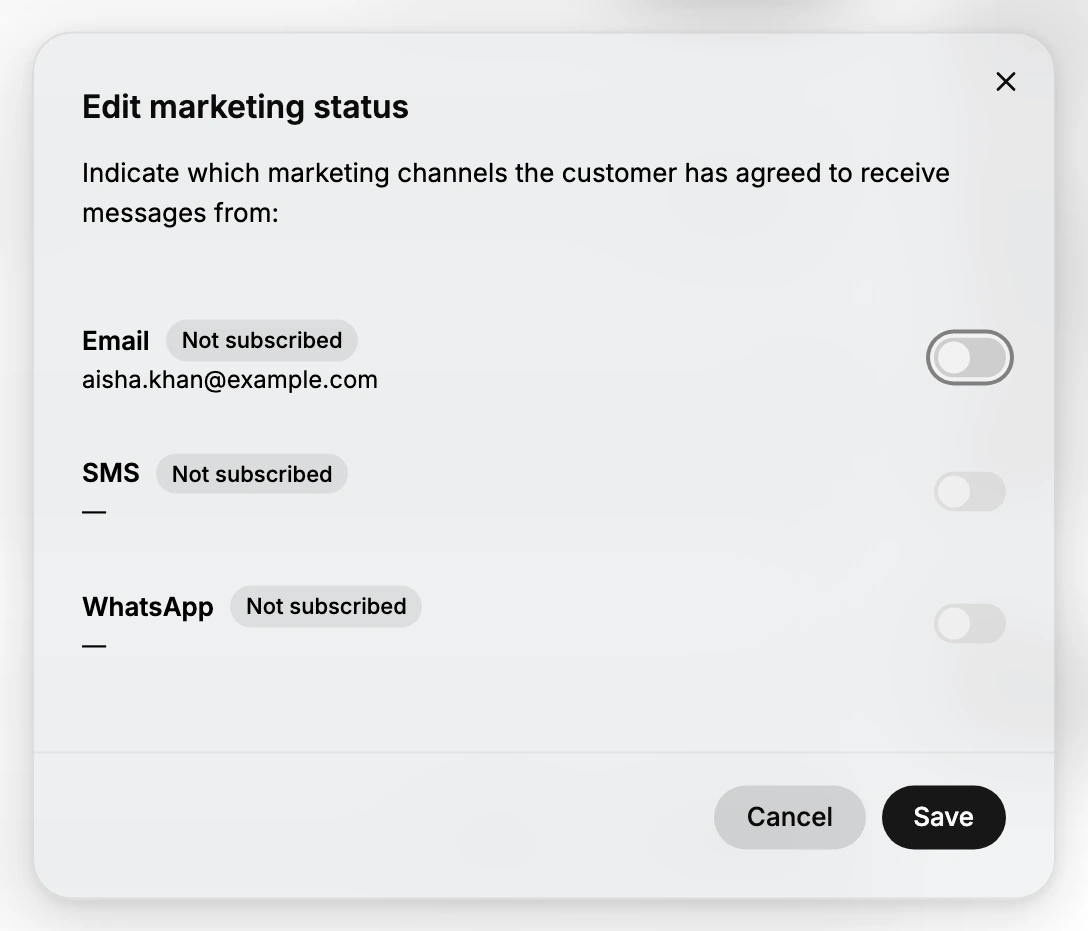
Open Edit on the Customer card, then Edit marketing settings. The SMS row shows the phone number the channel would use, blurred here. Where the customer has no number, that row shows a dash instead, and its switch is greyed out and cannot be moved. The same happens to WhatsApp, since it reads the same field.
This is the record telling you the channel has no destination. It is not a permission problem and not a fault, and no amount of consent will make the switch move until a number is on the customer.
2. Add the phone number if it is missing
Close the window, open Edit then Edit contact information, add the number, and save. Reopen Edit marketing settings and the SMS row now shows that number with a switch you can use.
Adding a phone number does not subscribe anyone. It only makes the channel possible, and the consent is still a separate decision that belongs to the customer.
3. Set the SMS consent
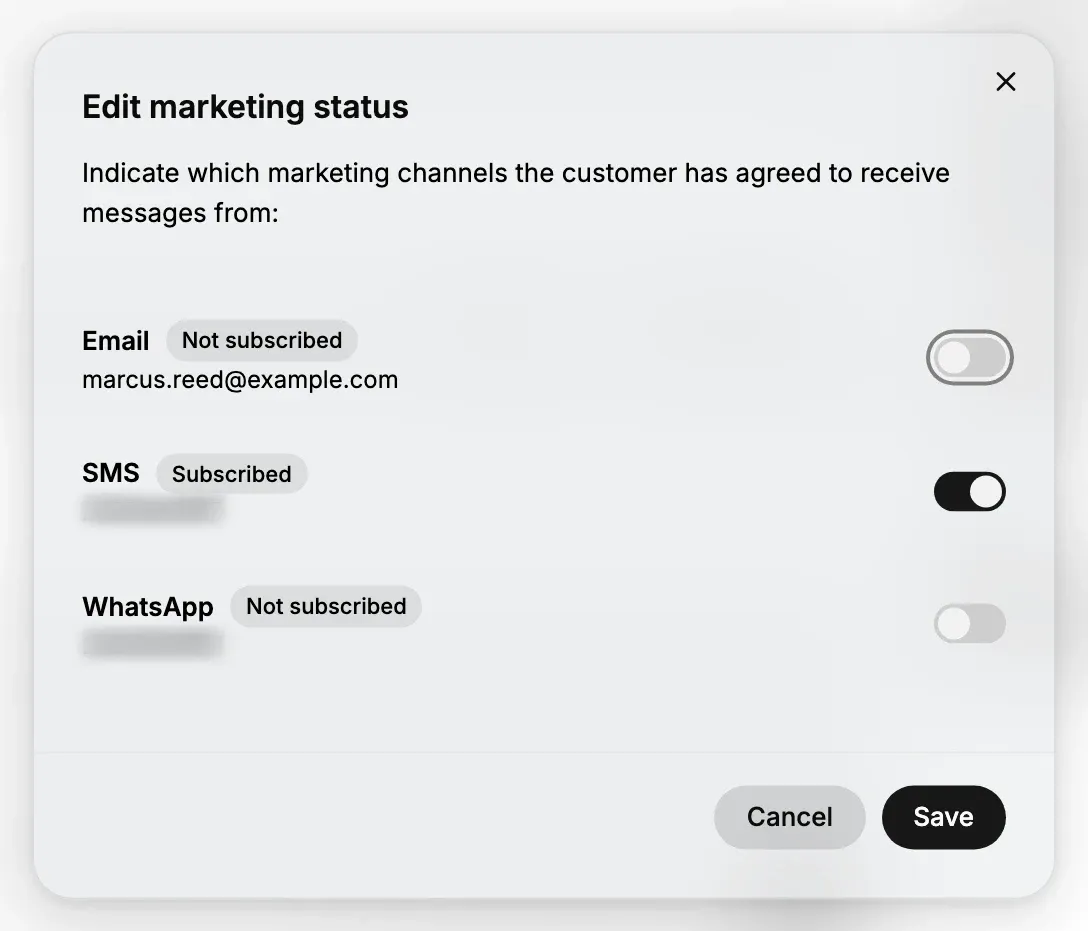
Turn the SMS switch on when the customer has agreed to marketing texts, or off to unsubscribe them, then select Save. The badge beside the channel name shows the state before you change it, so you can tell at a glance whether you are about to change anything at all.
Leave WhatsApp alone unless the customer agreed to that separately. Sharing a phone number does not make the two consents one, and it is the easiest mistake to make in this window.
Once it is on, the SMS row carries a Subscribed badge and its switch sits to the right, while the two channels the customer did not agree to stay off. Every switch here can be used, because the phone number exists.
4. Or set it when you create the customer
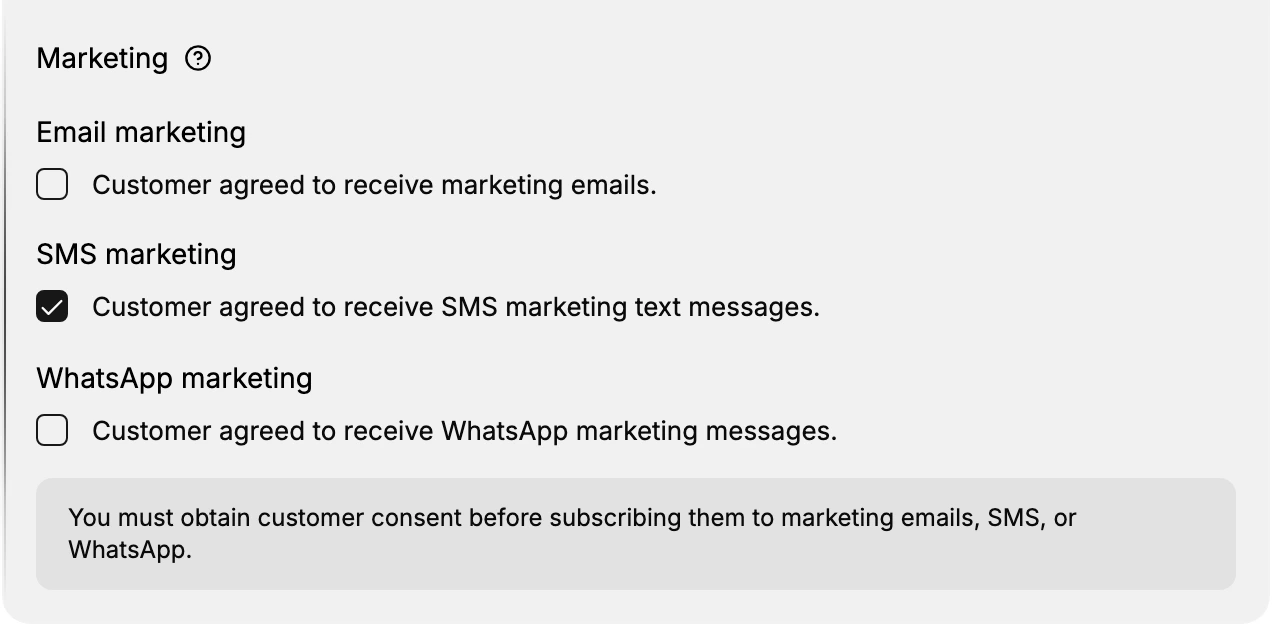
You do not have to create a customer and then come back for the consent. The Add Customer form has a Marketing section with a checkbox per channel, and ticking Customer agreed to receive SMS marketing text messages there records the consent as the customer is created, as long as you fill in the phone number on the same form.
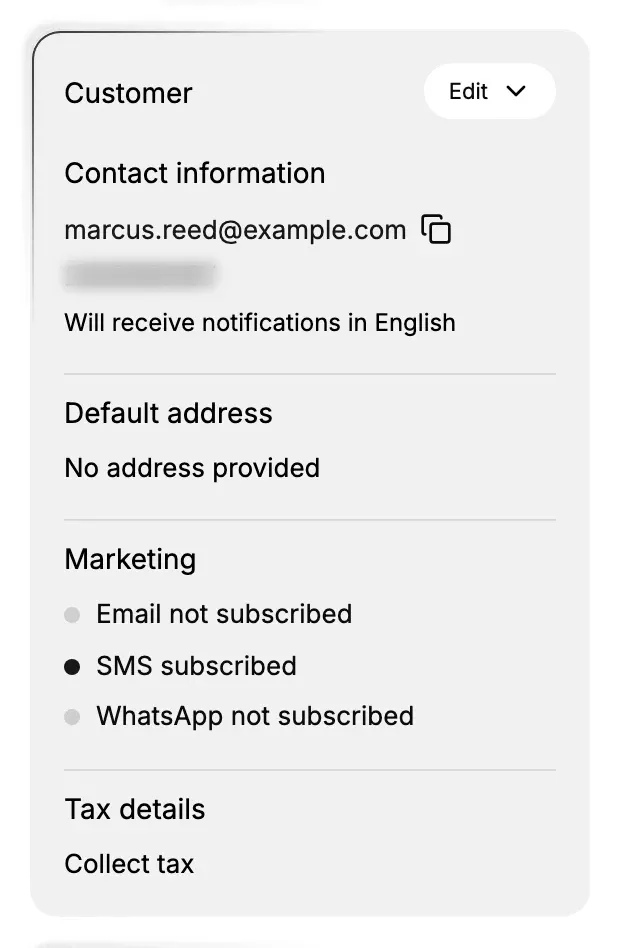
The new customer opens with SMS subscribed on the Marketing part of their record and the other two channels off, so what you ticked on the form is what the record holds.
If something goes wrong
- The SMS switch will not move. There is no phone number on the customer. Add one under Edit contact information, then come back.
- You subscribed WhatsApp by mistake. Reopen the window, switch WhatsApp off, and save. The two are independent, so the SMS state is unaffected.
- You cannot see the SMS state on the list. Add SMS subscription from Manage columns.
- The state is wrong after a merge. Read the value on the record you merged in and set it on the record you kept.
- Edit marketing settings is missing from the Edit menu. Your role may not include Manage customer subscriptions. Ask an owner or admin.
Next steps
Related articles
Still stuck?
- Ask Tanqory AIAsk in your own words. It answers from these articles and links the ones it used.
- Ask in your adminThe assistant in your Tanqory admin answers and makes the change for you once you confirm.
- Contact TanqoryWrite to our privacy, security or legal teams, or talk to sales about a plan or a move.