Return In Progress Status
Once you create a return, the order shows a Return In Progress status and the return is marked In Progress until you process it. This explains the returning status and where to see it.
On this page
After you create a return, the order tracks where that return stands. The order shows a Return In Progress status, and the return itself is marked In Progress until you process it. Knowing this status tells you immediately that an order has an open return still to handle. You see it on the order once a return exists, and Create a Return shows how one starts.
Where the status appears
| Place | What it shows |
|---|---|
| Order header | A Return In Progress label next to the order's payment and fulfillment status |
| The return on the order | The return, marked In Progress, with its return number and the returned item |
| Return status column | On the Orders page, the Return status column reflects the order's return |
Before you begin
- Your role includes Manage returns and exchanges.
- Open Orders > Overview in the admin sidebar and open an order that has a return under way, since this status only appears once a return has been created.
Steps
1. See the status on the order
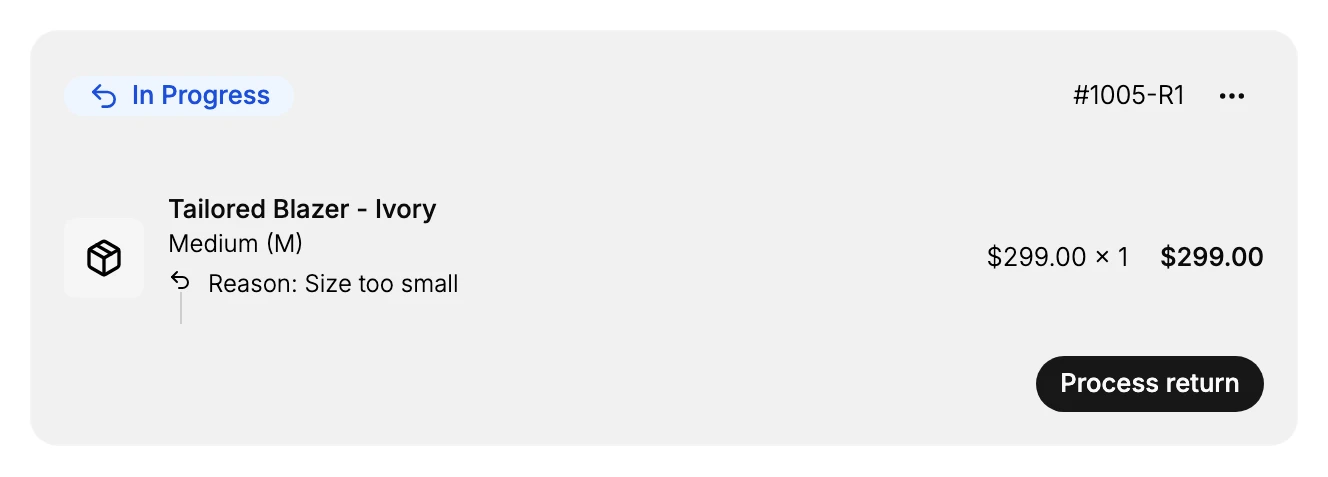
Open an order that has a return. At the top, alongside the payment and fulfillment status, the order shows Return In Progress. On the order, the return appears as a card marked In Progress, with its return number (such as #1005-R1), the returned item, and the reason for the return.
2. See it in the Orders list
On the Orders page, the Return status column reflects where each order's return stands, so you can spot orders with an open return without opening each one. Use it to find the returns that still need handling.
3. Move the return forward
While the return is In Progress, the item is on its way back or waiting to be handled. Select Process return on the return to receive the items, restock them, and issue the refund, which moves the return past In Progress, a sequence Restock a Return walks through.
Best practices
- Watch for in-progress returns. A Return In Progress status means an open return still needs handling, so clear these regularly.
- Use the Orders list to find them. The Return status column lets you spot orders with an open return without opening each one.
- Process promptly. Move a return past In Progress once the items are back, so the customer's refund and your inventory are settled.
If something goes wrong
- An order still shows Return In Progress. The return has not been processed yet; open it and select Process return to complete it.
- You cannot find the return. Check the Return status column on the Orders page to locate orders with an open return.
- You cannot manage the return. Your role may not allow managing orders and returns. Ask an owner or admin.
Next steps
Related articles
Still stuck?
- Ask Tanqory AIAsk in your own words. It answers from these articles and links the ones it used.
- Ask in your adminThe assistant in your Tanqory admin answers and makes the change for you once you confirm.
- Contact TanqoryWrite to our privacy, security or legal teams, or talk to sales about a plan or a move.