Language
This setting decides which language the Tanqory admin speaks to you in, and it is yours alone: your colleagues keep whatever they chose, and your customers never see it. The list runs to 50 languages. It sits on your profile, and like everything else there it does nothing until you press Save.
On this page
This setting exists for one reason: so that the person running the shop can read the back office in the language they think in. It decides which language the admin uses when it talks to you, in its menus and in the messages it shows you, and the page calls it the interface language for all system messages.
It is a personal preference and nothing more. Your colleagues each carry their own, and your storefront is untouched, so a customer sees no difference whichever language you work in. If the language your customers read is what you are after, that lives under Settings > Languages, where the store's available languages and its translations are handled.
Before you begin
- You are logged in to the account whose language you want to change. This setting only ever applies to your own.
Changing it
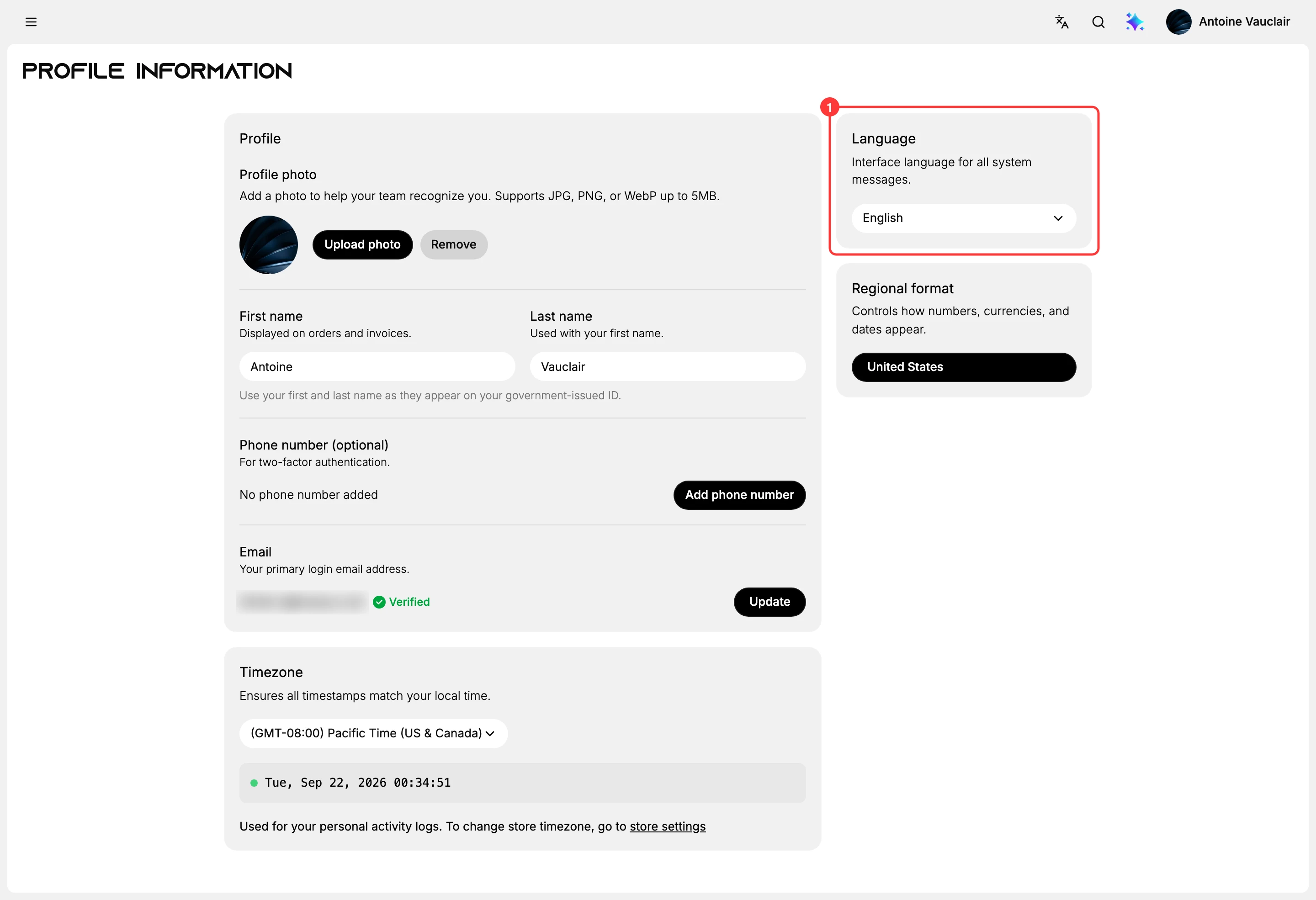
- Open your profile. Select the profile picture at the top right of the admin, then Your profile. The Language card (1) is in the right-hand column, above Regional format.
- Open the selector and choose a language. It shows your current one. The list holds 50, each written in its own script with the English name beside it, so Thai appears as ไทย (Thai) and Japanese as 日本語 (Japanese). That matters when you are setting the admin up for somebody who does not read English: they can find their own language by looking for the writing they recognise.
- Select Save. A black bar reading You have unsaved changes appears at the top of the page as soon as you choose, carrying Discard and Save. Nothing is kept until you press Save, and the selector will show your new choice either way, so leaving the page without saving quietly puts the old language back.
Profile Information covers the rest of the page, and the same saving rule applies to every setting on it, not only this one.
Best practices
- Set it for a new colleague when you help them start. It is on their own profile, so it has to be done from their account rather than yours.
- Check the bar before you leave the page. A choice that was never saved looks exactly like one that was, until the next page load.
If something goes wrong
- The admin is still in the old language. The change was probably not saved. Open the profile again and look at the selector: if it has gone back, press Save this time.
- Your colleague still sees English. Their language is on their profile, not yours. There is no setting here that changes it for the team.
- Your customers see the wrong language. Nothing on this page reaches the storefront. The shop's own languages and its translations are handled under Settings and Languages.
- Dates and numbers still look wrong. That is Regional format, the card directly below this one, and it is a separate setting.
Next steps
Related articles
Still stuck?
- Ask Tanqory AIAsk in your own words. It answers from these articles and links the ones it used.
- Ask in your adminThe assistant in your Tanqory admin answers and makes the change for you once you confirm.
- Contact TanqoryWrite to our privacy, security or legal teams, or talk to sales about a plan or a move.