A Market With No Customizations
A market works without customizing anything: by default it inherits every setting from your store, so all of them sit under Inherited settings and the Customized section stays empty. This suits a market that should follow your store. You customize a setting only when the market needs to differ.
On this page
A market does not need any customizing to work. When you create one, it inherits every setting from your store, so it sells the same products, in the same way, as the rest of your store, just for the regions the market covers. On the market's page, all of these settings sit under Inherited settings, and the Customized section stays empty until you change one. This is the right state for a market that should follow your store, and it means you can add a market for a region without setting up anything extra. You see this on the market's page, in the Inherited settings section.
Before you begin
- You have a market that has just been created, or one you have not customised. This state is what a market looks like before anything is overridden.
- Your role includes View markets.
- Open Markets in the left navigation, then select a market to open its page.
Everything inherited by default
The Inherited settings section lists the settings a market takes from your store as they are: Currency, Catalogs, Discounts, Online Store, Taxes and duties, and Returns and cancellations. Each shows the store value the market is using, so a market with no customizations reads its values straight from your store.
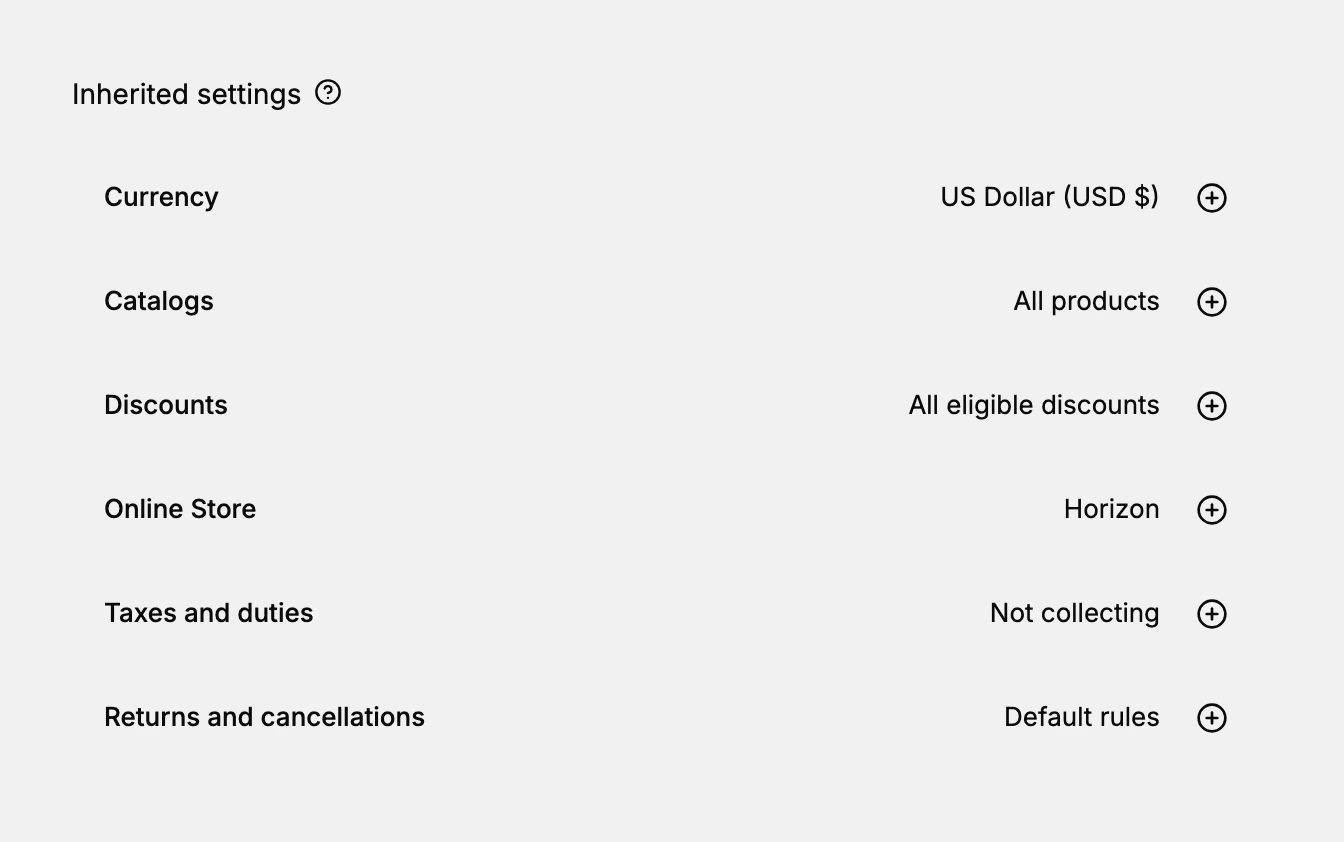
| Setting | The store value it inherits (in this example) |
|---|---|
| Currency | US Dollar (USD $) |
| Catalogs | All products |
| Discounts | All eligible discounts |
| Online Store | Horizon |
| Taxes and duties | Not collecting |
| Returns and cancellations | Default rules |
The values shown are the store's, taken as an example from one market; your own store's values may differ.
When to leave a market uncustomized
Leave a market on its inherited settings when it should behave the same as your store for the regions it covers. Because a new market inherits everything, you do not have to touch any setting for the market to work. Customize a setting only when the market genuinely needs to differ, such as its own currency or catalog. Keeping a market uncustomized keeps it simple, and it continues to follow your store as you change your store's settings.
Tip: To launch in a new region quickly, create the market with just its regions and leave everything inherited. It sells right away using your store's currency, catalog, and tax settings, and you can customize later only if that region needs something different.
What stays empty
The Customized section holds only the settings you have changed for a market. On a market with no customizations, it stays empty, and every setting remains under Inherited settings with an add control to customize it if you later need to. As soon as you customize one setting, it moves into Customized, while the rest stay inherited.
Best practices
- Start with everything inherited. A new market works on your store's settings, so add it first and customize later only if needed.
- Customize only what differs. Leave settings inherited unless a market genuinely needs its own, so markets stay simple.
- Let inherited settings track your store. An inherited setting follows your store, so store changes reach the market automatically.
- Check the Customized section. If it is empty, the market is following your store on every setting.
If something goes wrong
- A market is not using a value you expect. Check whether the setting is under Inherited settings, since inherited ones follow your store.
- You customized a setting by mistake. Use the remove control on it in Customized to return it to your store's value.
- A store change did not reach a market. If the market customizes that setting, it no longer inherits your store's value.
- You cannot see a market's settings. Your role may not allow viewing markets. Ask an owner or admin.
Next steps
Related articles
Still stuck?
- Ask Tanqory AIAsk in your own words. It answers from these articles and links the ones it used.
- Ask in your adminThe assistant in your Tanqory admin answers and makes the change for you once you confirm.
- Contact TanqoryWrite to our privacy, security or legal teams, or talk to sales about a plan or a move.