Migrate from Wix
A Wix export cannot be uploaded to Tanqory as it comes, because the two name every column differently. This guide pairs each Wix column with the Tanqory column it belongs in, and names the ones on either side that have nowhere to go. It then covers the rest of the move: inventory, customers, and the storefront you rebuild.
On this page
Of the platforms people arrive from, Wix is the one whose export needs the least surgery. Its file is already laid out the way Tanqory reads one, with a handle tying a product's rows together and separate rows for variants and images. What it gets wrong is every single column name. A Wix export opens with handle and fieldType, where Tanqory's template opens with Handle and Title, so the file has to be remapped before the importer can read it. The rest of this guide is that mapping. The good news is that the shape of the file is already right, and only the labels are wrong.
What moves and what you rebuild
- Your product catalog moves by CSV, once your Wix columns are lined up with Tanqory's. The table below pairs them off.
- Your inventory and customers each move through their own Tanqory importer once exported from Wix, using the same rename-the-columns approach. Import Inventory and Adding a Customer cover those two.
- Your past orders do not move. Tanqory has no order importer, so order history stays in Wix and cannot be uploaded. Export it before you close the account and keep the file as your record, then bring your customers across so returning shoppers still exist in Tanqory. Bringing Past Orders into Tanqory explains what to do with that file.
- Your storefront look, payment providers, shipping, taxes, and domain are built in Tanqory rather than carried in a file.
Before you begin
- You can sign in to both your Wix dashboard and your Tanqory admin.
- You can export your products and other data from Wix to CSV.
- You have a spreadsheet editor to do the column mapping in, since this move needs one and a straight upload will not work.
- You have time set aside for the rebuild work, since the storefront cannot take orders until payments and shipping are configured.
Your rows are already the right shape
This is the part that makes a Wix move easier than most. Both platforms spread a product over several rows and tie them together with a handle, so the structure of your export is already what Tanqory reads. A Wix file marks each row's job in fieldType, and each of those jobs has a Tanqory equivalent:
- A
PRODUCTrow becomes the product's first row in Tanqory, carrying Title, Body (HTML) and the first variant. - A
VARIANTrow becomes a continuation row: repeat the Handle, leave the product columns blank, fill the variant columns. - A
MEDIArow becomes an image row: repeat the Handle, fill Image Src, Image Position and Image Alt Text.
Once you have seen that, the migration is a renaming job rather than a rebuilding one. Delete the fieldType column at the end, since Tanqory works out what each row is from which columns you filled.
Matching Wix columns to Tanqory columns
| Wix column | Tanqory column |
|---|---|
handle |
Handle |
name |
Title |
plainDescription |
Body (HTML) |
brand |
Vendor |
sku |
Variant SKU |
barcode |
Variant Barcode |
price |
Variant Price |
strikethroughPrice |
Variant Compare At Price |
cost |
Cost per item |
inventory |
Variant Inventory Qty |
weight |
Variant Grams |
visible |
Published |
media |
Image Src |
mediaAltText |
Image Alt Text |
productOptionName[1] |
Option1 Name |
productOptionChoices[1] |
Option1 Value |
Note: Tanqory's weight column is named Variant Grams and expects grams. Check what unit your Wix file holds before you copy the numbers across, because nothing in the import will tell you that a kilogram was read as a gram.
What Wix sends that Tanqory has nowhere to put. Besides fieldType, there is ribbon, the pre-order columns, the modifier columns and the base-unit columns. None of them has a home, and none of them is worth trying to force into one.
What Tanqory asks for that Wix does not send. Ten columns have no Wix source: Status, Variant Inventory Tracker, Variant Inventory Policy, Variant Fulfillment Service, Variant Requires Shipping, Variant Taxable, Image Position, Gift Card, SEO Title and SEO Description. Two of them are worth filling by hand rather than leaving blank. Status decides whether a product lands Active or Draft, and Image Position decides the order your pictures appear in, which a Wix file expresses by row order rather than by number.
Doing the rename
There is no sequence to protect here, which is why this section is not a numbered list. You are renaming columns, and renaming them in any order gets you to the same file.
Start by getting both files in front of you. In your Wix dashboard, open the Products tab, select the products you are moving, then use More Actions and Export. In Tanqory, open Products, select Import, then Download sample CSV. The Wix file is what you have; the Tanqory file is the shape it has to end up in, and working with the destination headers visible is what stops you renaming a Wix header and hoping.
Then work down the mapping table above, moving each Wix column into its Tanqory column. Three things need doing as you go rather than afterwards. Convert the weights to grams, because Variant Grams means grams and no error will tell you otherwise. Number Image Position from 1 for each product's first picture, since Wix carries that order in its row sequence and Tanqory carries it in a number. Leave the row order exactly as Wix exported it too, because that sequence is what your positions and variant order are built from.
When every column has a home, delete the ones that do not have one: fieldType first, then ribbon, the pre-order columns, the modifier columns and the base-unit columns.
Importing it
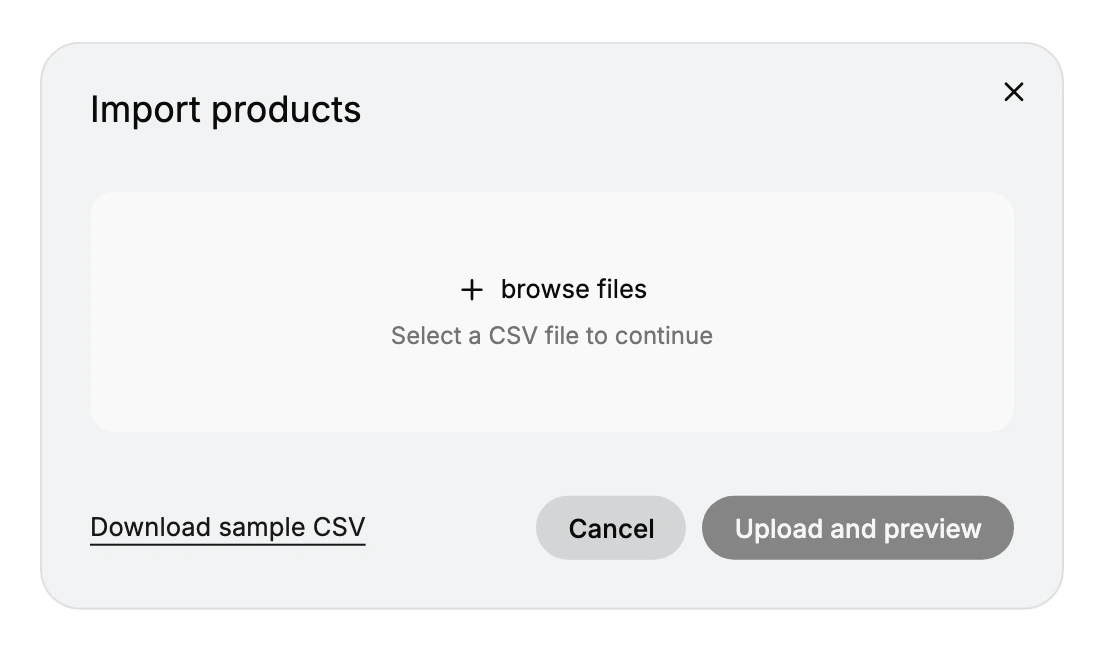
Open Products, select Import, use browse files to choose your file, then Upload and preview.
What you are looking at is whether products came through as products with their variants underneath them. If a variant has become a product of its own, the Handle stopped repeating somewhere in that product's rows. Use Cancel, find the row where it broke, and try again.
That is the Wix-specific work finished. What follows is the same for every store arriving at Tanqory: bring in your inventory and customers through their own importers, choose a theme, connect a payment provider, set your shipping and taxes, then test and move your domain. Migration Overview carries those steps in order, with the reason each one matters.
Verify the result
- Your product count in Tanqory matches your Wix export, and variants attached to the right products rather than becoming products of their own.
- Prices and compare-at prices read the way they did in Wix, which is what tells you
priceandstrikethroughPricelanded in the right columns. - Weights are in grams, not the number your Wix file happened to hold.
- Inventory and customers appear where you expect them. Orders will not, because they are not imported.
- A test order completes end to end, which confirms payments and shipping.
Best practices
- Leave the row order exactly as Wix exported it. The order is what your image positions and your variant sequence are built from, and sorting the file to make the mapping easier is how people lose it.
- Map a handful of products and import those before the rest, so a column you paired wrongly shows up while the file is still small enough to fix by hand.
Common mistakes
- Uploading the Wix export as it comes. It will not work. Tanqory looks for Handle and Title; the file offers
handleandname, and the two are not the same string. Renaming Tanqory's headers to match the file instead is the wrong way round. - Leaving
fieldTypein the file. Tanqory has no such column, so it is read as nothing at best. Drop it during the mapping rather than hoping it is ignored. - Copying weights without checking the unit. Variant Grams means grams. A weight copied across in another unit imports cleanly and then quotes the wrong shipping price to every customer.
- Leaving Image Position blank. Wix expresses picture order by the order of its MEDIA rows; Tanqory expresses it with a number. Copy the rows across without numbering them and the order becomes whatever the importer decides.
Next steps
Related articles
Still stuck?
- Ask Tanqory AIAsk in your own words. It answers from these articles and links the ones it used.
- Ask in your adminThe assistant in your Tanqory admin answers and makes the change for you once you confirm.
- Contact TanqoryWrite to our privacy, security or legal teams, or talk to sales about a plan or a move.