Carrier Accounts
Connecting your own carrier account so checkout quotes the carrier's live negotiated rates instead of a price you maintain. What changes for the customer, how it differs from the carriers you buy labels from, and the plan it needs.
On this page
Carrier accounts let you connect your own account with a shipping carrier so that carrier's live rates are calculated at checkout and shown to the customer, rather than a flat rate you set yourself. If you have already negotiated rates with a carrier, connecting that account means checkout quotes the price straight from the carrier based on the parcel and the destination, so the shipping a customer pays matches what the carrier will charge you. You manage this in Settings, under Shipping and delivery, in the Carrier accounts section.
Before you begin
- Your plan includes carrier accounts. On the Starter plan the Carrier accounts page is gated: it reads that the feature is not included and offers Compare Plans, so nothing on this page can be connected until the store is upgraded.
- You have an existing account with a shipping carrier whose rates you want to use, since this connects your account rather than creating one.
- You already have your own shipping rates set up, so customers can still check out while this is unavailable; Set Up Shipping Rates covers adding them.
- Your role includes Shipping settings, the permission that lets you change the store's shipping configuration.
- Go to Settings, open Shipping and delivery, and find the Carrier accounts section.
Two ways Tanqory works with carriers
A shipping carrier is the service that delivers an order to the customer. Tanqory works with carriers in two separate ways, and this article covers the first.
- Carrier accounts (this article). You connect your own account with a carrier so that carrier's live, negotiated rates are calculated and shown to the customer at checkout. This changes the rate the customer pays, and it is a plan feature.
- Shipping label carriers. The carriers Tanqory offers so you can buy discounted shipping labels once an order is placed, listed in the Shipping labels section. This is about buying postage to fulfill an order, not the rate shown at checkout; Shipping Labels and Preferred Carriers cover it.
Keeping the two apart matters: a carrier account changes what the customer is quoted at checkout, while shipping label carriers are how you pay for postage to send an order.
Where to find it
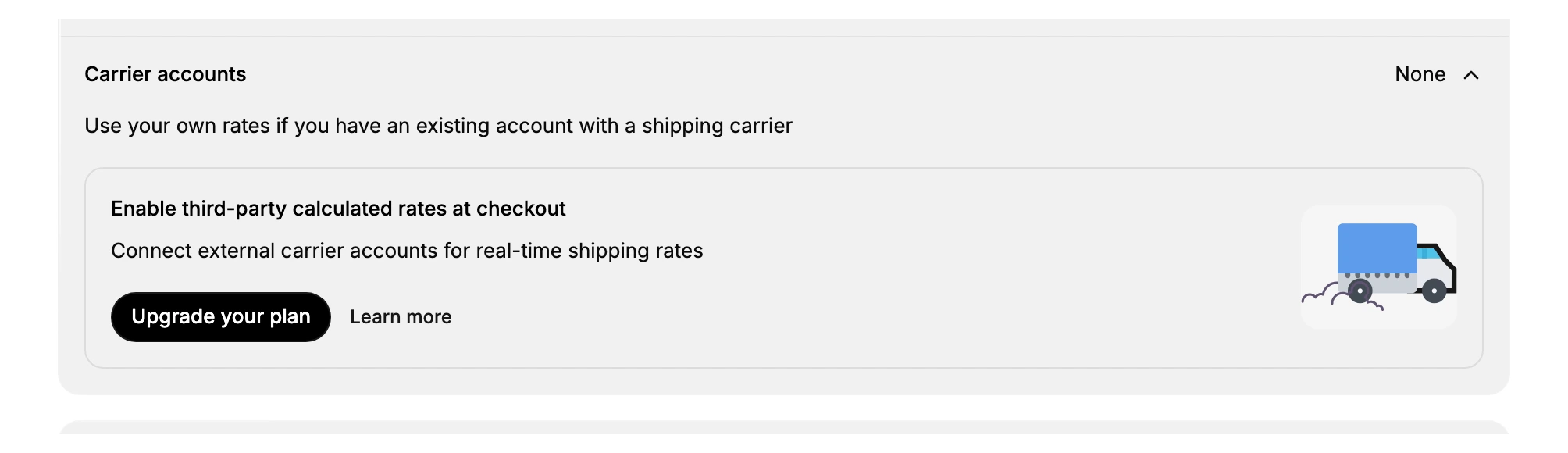
In your admin, open Settings > Shipping and delivery. The page lists a Carrier accounts section that shows how many carrier accounts are connected, which reads None until you connect one. Expanding it explains that you can use your own rates if you have an existing account with a shipping carrier, and offers to enable third-party calculated rates at checkout.
What connecting a carrier account does
A connected carrier account changes how shipping is priced for the customer. Instead of quoting a rate you typed in, checkout asks the carrier for a live price and shows that.
| Without a carrier account | With a carrier account connected |
|---|---|
| The customer pays a rate you define, such as a flat or free rate | The customer pays a real-time rate the carrier calculates for the parcel and destination |
| The price is the same regardless of the carrier's live cost | The price reflects your negotiated account rates with that carrier |
| You maintain the rates by hand | The carrier keeps the rates current for you |
This is what the section calls third-party calculated rates at checkout: the rate is calculated by an outside party, the carrier, rather than by a rule in your store.
Plan requirement
Connecting an external carrier account for real-time rates is a plan feature. On the Carrier accounts card, the action shown is Upgrade your plan, along with a Learn more link, which means your store needs a qualifying plan before you can connect an account and turn on calculated rates. Until then, the section stays at None and you price shipping with your own rates instead.
Notes and best practices
- Use it when you already have carrier rates. Connecting an account makes sense when you have negotiated rates with a carrier and want customers charged those exact rates.
- Check your plan first. Real-time calculated rates require a qualifying plan, so confirm your plan supports it before you rely on it.
- Keep a fallback rate. Until an account is connected, set your own shipping rates so customers can still check out.
If something goes wrong
- Carrier accounts shows None. No external account is connected yet; connecting one requires a qualifying plan, shown as Upgrade your plan on the card.
- You do not see live rates at checkout. Third-party calculated rates only appear once a carrier account is connected and enabled, which depends on your plan.
- You cannot change these settings. Your role may not allow managing store settings. Ask an owner or admin.
Next steps
Related articles
Still stuck?
- Ask Tanqory AIAsk in your own words. It answers from these articles and links the ones it used.
- Ask in your adminThe assistant in your Tanqory admin answers and makes the change for you once you confirm.
- Contact TanqoryWrite to our privacy, security or legal teams, or talk to sales about a plan or a move.