Storefront Terms of Service
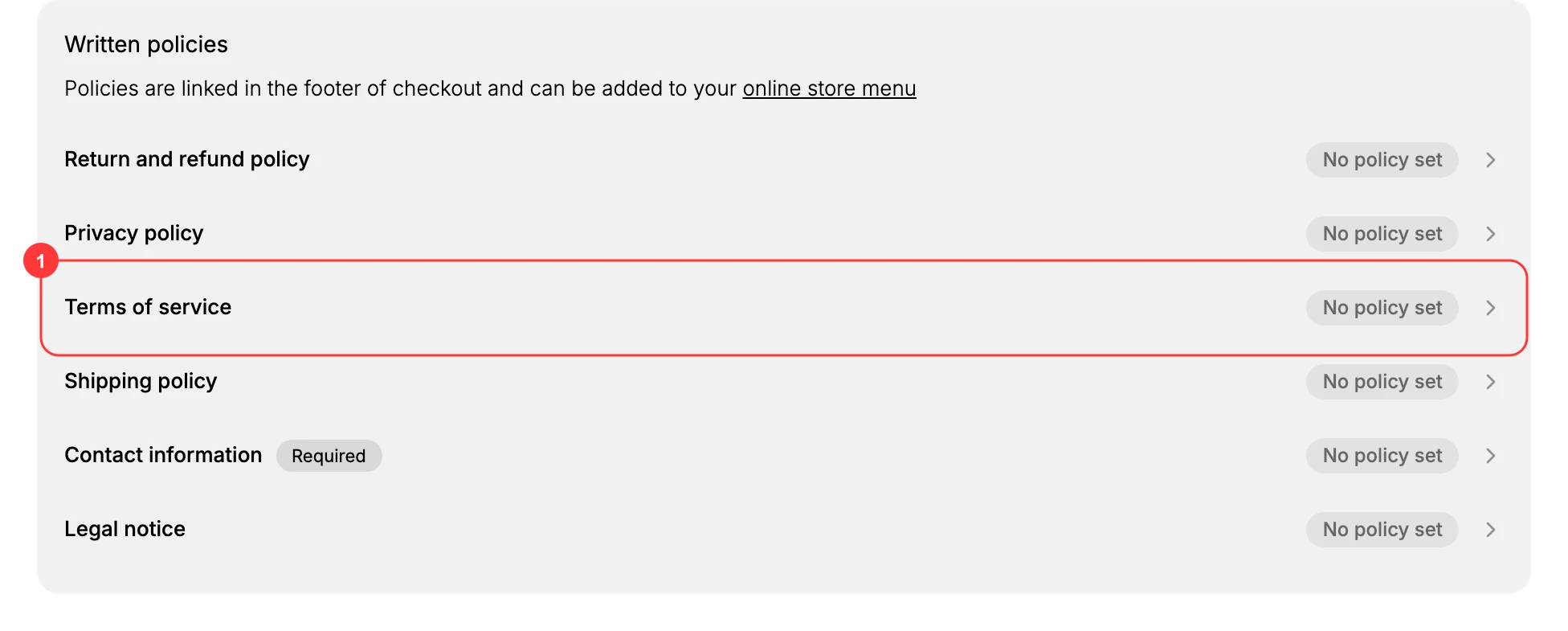
See where your store Terms of service is set and how it reaches customers. The terms are one of the written policies in Settings > Policies, and they link from the checkout footer and can be added to your online store menu.
On this page
Your store Terms of service is one of the written policies you manage on the Policies page in your store settings. This article shows where the terms live and how they reach customers on the storefront. Publish Terms of Service has the full editor and the legal requirements behind one.
Note: You need a role that can manage settings to open Settings > Policies. Until you add text, the Terms of service shows No policy set.
Where to set the Terms of service
Open Settings > Policies. Under Written policies, the Terms of service sits alongside your other store policies, such as the Return and refund policy, Privacy policy, Shipping policy, Contact information, and Legal notice. Select Terms of service to open its editor and add your text. Once you save it, its status changes from No policy set to show that a policy is in place.
Writing the policy
The editor does not start you with a blank page unless you want one. Under Policy content you choose between Use template, Generate with AI, and Start from scratch. Whichever you pick, the draft is a starting point rather than a finished terms. Templates arrive with bracketed placeholders that have to be replaced, and the editor carries a legal disclaimer stating the template is for information only and is not legal advice.
Writing the terms itself is covered in Terms of Service, which goes through what it should say and how to check it. This article stays with where the policy lives and how customers reach it.
How customers see it
Once your Terms of service has text, the storefront links to it in two ways:
- It is linked in the footer of checkout, so customers can read it before they place an order.
- It can be added to your online store menu, such as a footer menu, so it also appears on your regular storefront pages. See Menus to add the link.
Best practices
- Use terms drafted or reviewed by a lawyer, since the terms of service govern the agreement between your store and your customers, including payment, order acceptance, and dispute handling.
- Add the Terms of service to a visible menu, such as your footer, so customers can reach it outside of checkout.
- Review the terms when your business changes, for example when you sell into a new region or add a new type of product or service.
Next steps
Related articles
Still stuck?
- Ask Tanqory AIAsk in your own words. It answers from these articles and links the ones it used.
- Ask in your adminThe assistant in your Tanqory admin answers and makes the change for you once you confirm.
- Contact TanqoryWrite to our privacy, security or legal teams, or talk to sales about a plan or a move.